Ghost Canvas – Trace & Draw
forCandies s.r.o.

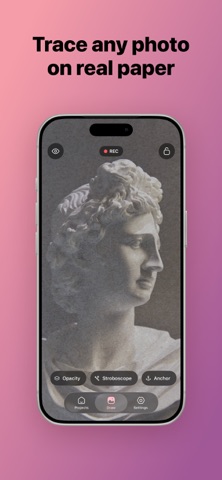
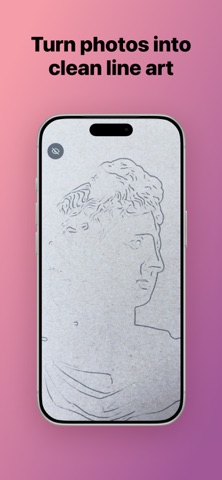
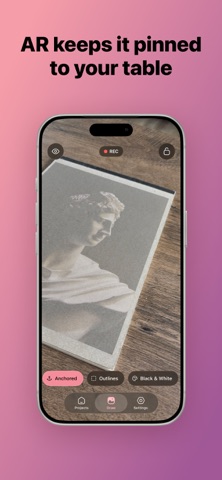
Ghost Canvas turns your iPhone or iPad into a tracing projector (a digital camera lucida). Pick any photo, see it floating over the live camera view, line it up with your paper — and draw. HOW IT WORKS • Import a reference photo from your library, camera or recent shots • Adjust opacity, position, scale and rotation with simple gestures • Lock it in place and start tracing what you see on screen TOOLS THAT MAKE TRACING EASY • Outline mode — turn any photo into clean contour lines (two engines: fast vector contours and high-quality FDoG line drawing) • Monochrome and posterize filters to simplify busy references • Line color adapts automatically to how bright your paper is • Grid overlay for classic grid-method drawing • Strobe mode briefly hides the overlay so you can check your marks KEEP IT STEADY • AR anchoring pins the reference to your table or canvas, so it stays put even when you move your device • Corner pinning with perspective correction for drawing at an angle CAPTURE YOUR PROCESS • Record a timelapse of your drawing session and share it as a video YOUR WORK, EVERYWHERE • Projects with automatic iCloud sync across your devices • Time-spent tracking for every project Ghost Canvas is a one-time purchase. No subscriptions, no ads, no account. Your photos never leave your device (iCloud sync stores them in your private iCloud, which only you can access).
Screenshots