uncorked.pro
Adrian Marquis

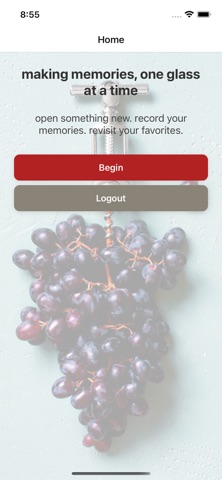
uncorked.pro is the effortless way to remember every wine you love. Whether you're a casual wine drinker or a devoted enthusiast, uncorked.pro gives you a beautiful, private journal to capture the bottles that matter — so you never forget a great find or repeat a disappointing one. Log Any Wine in Seconds The Smart Camera Bottle Scan and NEW Smart Search can autofill the winemaker, wine name, type, varietal(s), region, vintage, and tasting notes leaving you to just select your personal rating. Didn't get everything from the front label? Take another photo of the back label and only the missing or incorrect fields will update. Attach a photo straight from your camera or photo library so you'll always recognize the label on the shelf. Discover the Perfect Pairing On the fence about what to eat with that Barolo? uncorked.pro generates personalized food pairing suggestions for any wine in your collection. Save the pairings you love, add your own notes and photos, and build a pairing library you can actually use. Find Somewhere to Enjoy It Tap any saved pairing to find nearby restaurants, wine bars and retail options that might have what you're looking for — right from inside the app. Your Collection, Always at Hand Browse your full wine history, edit entries as your palate evolves, and search your collection by name or type. NEW Save for Later lets you build your dream list or just remind you of something you wanted to try! Everything is private and tied to your account. uncorked.pro is made for real moments — the birthday bottle you want to remember, the hidden gem from a weekend trip, the house wine that surprised you. Capture it before the memory fades.
Screenshots