LiveMic: Karaoke Singing Mic
Dayanand Khatik

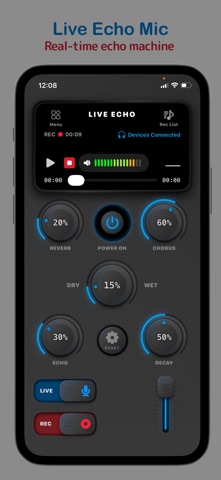
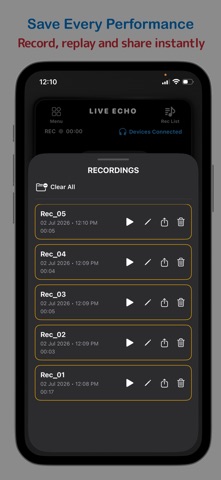
Turn your iPhone into a powerful live microphone with real-time voice effects. LiveMic lets you sing, practice, perform karaoke, and monitor your voice in real time. Add Echo, Reverb, Chorus, and other customizable effects to shape your sound exactly the way you want. Connect your iPhone to headphones, speakers, or compatible external audio devices and enjoy a flexible live audio experience—whether you're practicing alone, performing, creating content, or having fun with friends. FEATURES • Real-time microphone monitoring • Echo and Reverb voice effects • Adjustable Decay and Dry/Wet controls • Customizable audio controls • Voice enhancement for a richer sound • Record and save your performances • Replay your recordings anytime • Simple and easy-to-use interface • Support for external speakers and audio devices • Compatible with wired and supported Bluetooth audio devices PERFECT FOR • Karaoke & singing • Vocal practice • Live performances • Music rehearsals • Speech practice • Content creation • Parties & entertainment • Practicing vocals anywhere HOW TO USE Connect your headphones, speakers, or external audio device. Open Live Echo Mic. Allow microphone access. Turn on the live microphone. Adjust Echo, Reverb, and other audio effects. Start singing, speaking, or performing. IMPORTANT Audio latency can vary depending on your iPhone model and the connected audio hardware. For the best real-time experience, compatible wired audio devices are recommended. Download LiveMic: Karaoke & Voice Effects and turn your iPhone into your personal live microphone. Sing, practice, perform, record, and enjoy your sound your way. Terms of Use (EULA): https://www.apple.com/legal/internet-services/itunes/dev/stdeula/
Screenshots