ToneRig: NAM Amp & Pedalboard
Joshua David Aquino

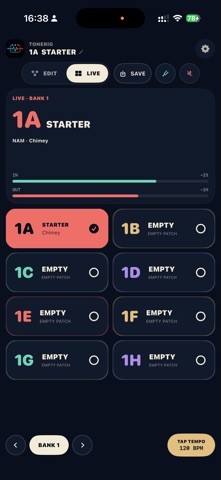
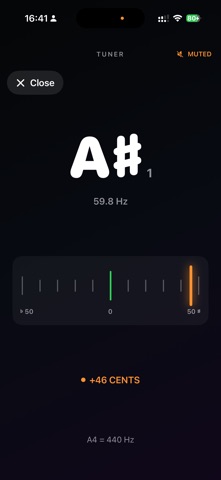
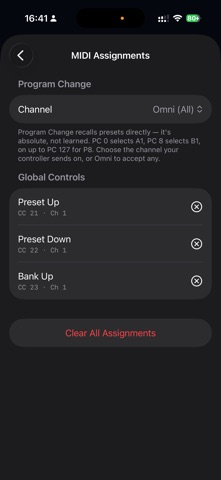
ToneRig turns your iPhone or iPad into a responsive amp, cab, and pedalboard rig for guitar and bass. Connect a USB audio interface, load a tone, and play—no laptop required. Built for playing, not just previewing. ToneRig runs at your audio interface’s hardware sample rate with a small buffer, keeping your sound tight and responsive. WHAT YOU GET FREE • Full-quality, low-latency monitoring for guitar and bass • A complete pedalboard with amp captures, cabinet IRs, EQ, reverb, delay, reverse delay, chorus, tremolo, octave, wah, compression, and more • Support for your own Neural Amp Modeler (.nam) captures and WAV impulse responses from Files • A flexible, reorderable signal chain • Built-in tuner, input and output meters, and a real-time latency estimate • Digital metronome with tap tempo, adjustable time signature, accented downbeats, and tempo-synced effects TONERIG PRO — ONE-TIME UNLOCK • Save and organize presets across multiple banks • Build parallel signal chains with Y split, A/B balance, and crossover routing • Control lane level, pan, and polarity • Map MIDI footswitches, notes, and control changes using MIDI Learn • Download unlimited tones from the TONE3000 library • Host third-party AUv3 effects inside your signal chain • Use ToneRig as an AUv3 effect in GarageBand, Logic Pro, AUM, and other compatible hosts • Back up presets, captures, and IRs to your private iCloud storage and restore them on any device HOW IT WORKS 1. Connect a class-compliant USB audio interface and plug in your instrument. 2. Connect headphones or monitors to the interface. 3. Load your own neural captures, import cabinet IRs, or find tones on TONE3000. 4. Add effects, reorder blocks, adjust controls, and build your sound. Unlock ToneRig Pro with a single purchase—no subscription. ToneRig is an independent product and is not affiliated with or endorsed by the Neural Amp Modeler project or TONE3000. Those names are used only to describe file and service compatibility. A USB audio interface is required for audio input and output. Questions or feedback? Contact support@joshaquino.com.
Screenshots