ReceiptsBox: Receipt Scanner
Kun Tian

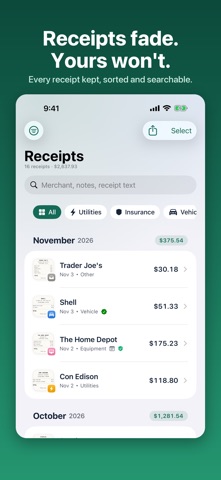
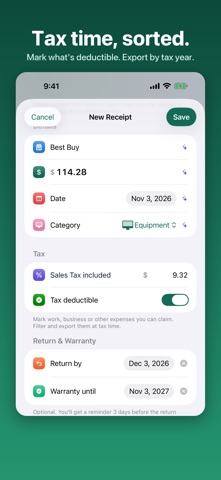
Keeping receipts shouldn't need a manual. Pay once, keep it forever — no subscription, no ads, no account. ReceiptsBox does one thing well: it keeps your receipts organized. Open it, scan a receipt, done. There's nothing to set up and nothing to learn. HOW IT WORKS 1. Tap Scan Receipt and hold your phone over the receipt. 2. The store, date, total and sales tax are filled in for you. 3. Pick a category and save. NEVER MISS A RETURN OR WARRANTY • Add a return-by or warranty date — or pick 30 days, 1 year, 2 years • Get a reminder before it runs out • See what's coming up on the Overview TAX TIME, SORTED • Mark receipts tax deductible; the sales tax is read for you • See this tax year's deductible total • Filter by tax year and export a PDF, spreadsheet or ZIP of every image MADE FOR THE US • Sales tax read straight off your receipts • Your tax year is the calendar year, ready for tax season • Amounts in dollars EVERY RECEIPT, HOWEVER IT ARRIVES • Scan paper receipts, even long ones across several pages • Import PDFs and photos, or share them from Mail, Safari or Files • No receipt? Enter the purchase by hand AND THE BASICS, DONE WELL • See what you spent this month, and on what • Find any receipt by store, note or any word printed on it • Backed up automatically to your own iCloud ONE PRICE, NOTHING ELSE TO BUY • One-time purchase — no subscription, no in-app purchases • No ads, no sign-up, no limit on receipts PRIVATE BY DESIGN • Your receipts stay on your device and in your own iCloud • Reminders are scheduled on your device — no account, no tracking Great for household bills, warranties and returns, your tax return and write-offs, or a side hustle — anyone who'd rather not lose another receipt.
Screenshots