Optidrive AI
OPTIZENCE LLC

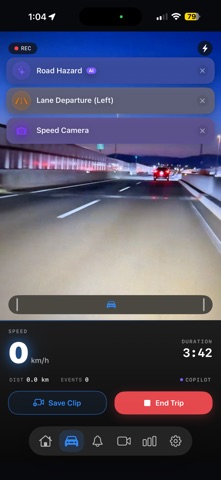
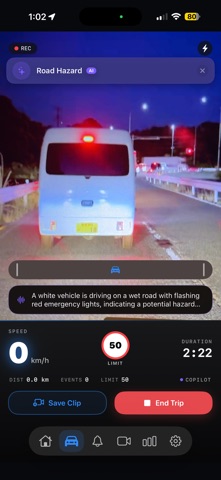
OptiDrive AI turns your iPhone into an intelligent driving companion and dash cam — running entirely on your device. Mount your phone, start a trip, and OptiDrive watches the road with you: it recognizes vehicles, pedestrians, cyclists, traffic signs, speed limits, speed cameras, and road hazards, and speaks clear, timely alerts in a natural voice — so your eyes stay on the road. REAL-TIME SAFETY ALERTS • Forward collision and time-to-collision warnings • Lane-departure warnings • Speed-limit and speed-camera alerts • Pedestrian, cyclist and vehicle proximity alerts • School/construction zone and road-hazard alerts • Hard-brake and collision detection from motion sensors AUTOMATIC DASH CAM • Continuous loop recording with automatic clip saving when a safety event happens • Clips organized by trip, easy to review, merge and share • Incident capture records nearby vehicle details and generates an exportable evidence report TRIP INSIGHTS • Per-trip safety score and driving analytics • Trip history with routes and event timeline PRIVATE BY DESIGN • All detection and AI run on your device — fully offline • No account, no sign-in, no ads, no data selling • Your trips, clips and detections stay on your phone SIMPLE PRICING • Free to start — your first month of OptiDrive Premium is free, then $1.99/month • Prefer to pay once? Unlock lifetime access for a one-time $49.99 • The subscription auto-renews monthly until cancelled — cancel anytime in Settings > Apple ID > Subscriptions OptiDrive AI is a driver-assistance aid, not a replacement for safe, attentive driving. Always obey traffic laws and keep your attention on the road. Terms of Use (EULA): https://www.apple.com/legal/internet-services/itunes/dev/stdeula/
Screenshots