Token Monitor: AI Usage
Ashok Pokharel

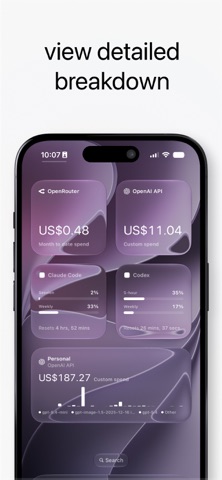
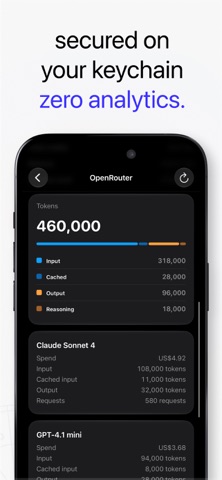
Token Monitor shows what your AI tools actually cost you. Spend, token usage, credits, and rate limits for every provider you pay for, together in one app on your iPhone. If you use Claude Code or Codex, you know the annoying part. You start working, then hit a usage cap with no warning and no clear sense of when it lifts. Token Monitor shows the reset countdown for each quota window before you start, so you always know how much headroom you have left. Use it as a CLI-agent companion before starting a long terminal session: check your quota, see when it resets, and avoid getting capped mid-task. WHAT YOU CAN TRACK - Claude Code and Codex usage, quota windows, and live reset timers - API spend for OpenAI, Anthropic, OpenRouter, Groq, and xAI - Perplexity credits and renewal dates - Token mix on every request: input, cached, output, and reasoning - Spend and request charts for the last week, month, quarter, or year - Breakdowns by model, project, API key, and workspace HOW IT WORKS Paste an API key, or sign in to your Claude and Codex web sessions. Token Monitor reads your usage and shows it back to you. It does not send prompts, route traffic, or touch your model calls. It only reads numbers you already have access to. WHERE YOUR KEYS LIVE Keys and session tokens stay in the iOS Keychain on your device. There is no Token Monitor account, no server, and no cloud. Your usage data never leaves your iPhone. subscription required to add more than one provider* Support: https://optimalapps.ca Privacy Policy: https://optimalapps.ca/privacy Terms of Use: Apple's Standard EULA: https://www.apple.com/legal/internet-services/itunes/dev/stdeula/
Screenshots