ZScripter: Visual Novel Player
Connor Kulczytzky

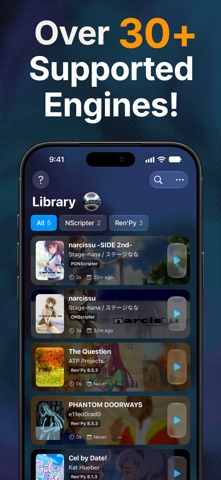
ZScripter plays compatible Ren'Py, RealLive, NScripter, (PONS)ONScripter-EN/RU/JH/Yuri, Artemis, Siglus, CatSystem2, Ethornell BGI, N2System (Nitro+), AI5 and UK2 games as well as KiriKiri (+Kirikiroid2 patches), TyranoScript, RPG Maker MV/MZ & XP, VX and VX Ace support - ZScripter supports 115 specific Ren'Py releases across the 6.15.x, 6.17.x, 6.18.x, 6.99.x, 7.0.x–7.8.x, and 8.0.x–8.6.x release families - The shared NScripter-family runtime supports ONScripter, ONScripter-EN, ONScripter-RU, ONScripter-JH, and ONScripter-Yuri, with dedicated Yuri compatibility profiles for GBK (Chinese), Shift-JIS (Japanese), and UTF-8. It also includes PONScripter compatibility profiles for Original/Mion (2011), Sekai Project Steam releases, Witch Hunt (1× and 2×), and 07th-Mod (v3 and v4). - RealLive engine has support for English and Japanese RealLive game variants, supporting most RealLive novels. - KiriKiri engine with Kirikiroid2 patch support. - RPG Maker MV/MZ & XP, VX, and VX Ace engine with full patch and MTool translation support. - CatSystem2 Engine - Siglus Engine - TyranoScript Engine - N2System Engine - Ethornell BGI Engine - AI5, UK2, AVG32 Engine BRING YOUR OWN GAMES (FILES + WEB IMPORTER) - Import games you own from folders, ZIP, RAR, 7z, LHA/LZH, TAR, TAR.GZ, TAR.BZ2, TAR.XZ, and ISO disc images. - Import supported self-extracting EXE packages, including Inno Setup, NSIS, and supported FreeArc formats. - Extract compatible game data from APK, XAPK, APKS, APKM, AAB, and IPA packages. Split RAR and 7z archives are also supported. - Choose files through the Files app, or transfer games from another computer on the same Wi-Fi network. REN'PY TRANSLATION - Enable translation, choose your source and target languages, and translate dialogue and menus directly in Ren'Py games. - Use Apple on-device translation on iOS 18 or later with supported downloaded language models. - Or connect AI models with your own API key and an internet connection. Game text and context are sent to your selected provider with your permission. LOCAL SAVES, BACKUPS AND FILES - Edit supported Ren'Py save-slot and persistent data with the dedicated Save Editor. - Manage storage, create save snapshots, roll back saves, and export complete game-and-save backups. - Game files stay on your device. You can choose to sync settings, controls, your library, and saves through iCloud. READING AND CONTROLS - Adjust in-game text size in Ren'Py games in real time. - Customize touch controls, hardware controller bindings where supported, and per-game orientation. ZScripter is the perfect choice for game development testing due to its Save Editor, which changes saved values and flags in Ren’Py, RPG Maker and TyranoScript games. Save snapshots and rollback let you go back to a known state, and you can send new builds from your computer over Wi-Fi. One app runs builds on more than 15 engines, so you can test on a real iPhone or iPad without a separate port. ZScripter’s engine compatibility is tested against thousands of game distributions, with checks covering startup, rendering, and engine-specific behavior. Compatibility varies by game and version. Ren'Py is a registered trademark. All other trademarks are the property of their respective owners. ZScripter is not affiliated with or endorsed by the Ren'Py project or any named developers, publishers, or community projects.
Screenshots