CodeMote: Mobile Vibe Coding
Salvatore Castellitti

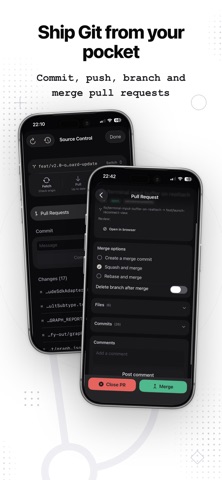
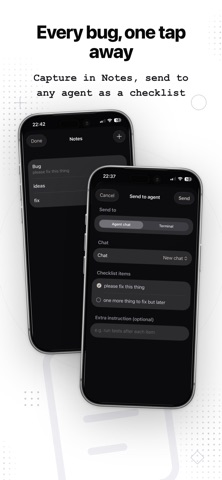
CodeMote turns your iPhone and iPad into a real connection to your development machine. Pair in seconds, then run your terminals, manage git, and drive AI coding agents - from anywhere. This isn't a stripped-down mobile editor. CodeMote connects to the full workstation you already have set up, so you get your real environment, your real tools, and your real projects in your pocket. Works with your existing VS Code setup. WHAT YOU CAN DO - Live terminals - open real shells on your machine, with sessions that survive backgrounding and reconnect instantly. - Git, built in - status, diff, commit, push, branches and full history, with zero credentials stored on your phone. - AI coding on the go - kick off and steer AI coding agents while you are away from your desk. - Multiple workspaces - jump between projects and keep long-running tasks alive in the background. - Saved commands - one tap to run the commands you use most. - Persistent sessions - start something on your phone, pick it up on your desktop. BUILT FOR DEVELOPERS - Fast, secure pairing - connect your phone to your machine in seconds. - Your code never leaves your computer - CodeMote is a remote control, not a copy. - Terminal-first, keyboard-friendly, and dark by default - designed for the way you actually work. WHY CODEMOTE Other remote-coding apps give you a chat box bolted onto an AI agent. CodeMote gives you the whole workstation - terminal, git, and AI together - so you can do real work, not just send prompts. Ship a fix from the sofa. Restart a build from the train. Review a diff over coffee. Your dev machine is now wherever you are. Download CodeMote and code from anywhere. A subscription is required to use CodeMote. Terms of Service: https://codemote.caste.work/tos Privacy Policy: https://codemote.caste.work/privacy
Screenshots