Tvizo IPTV Player Xtream
Rachid Bin Qassam

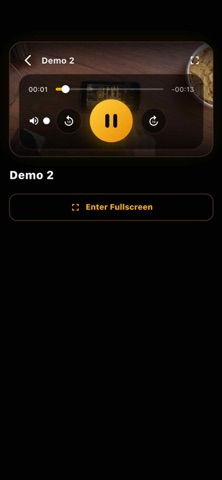
Tvizo IPTV Player is a fast, modern IPTV player for your own M3U / M3U8 playlists and Xtream Codes accounts. Import your provider once and stream Live TV, Movies, and Series in one clean, private, easy-to-navigate dashboard — built for iPhone and iPad. Designed for people who want a smooth, customizable streaming experience: organize channels, build favorites, manage multiple playlists, and pick up movies and series right where you left off — all wrapped in a premium black-and-gold interface. Features • Support for M3U and M3U8 playlists • Xtream Codes API login support • Live TV, Movies and Series in one app • Modern, fast player built on a powerful media engine • Quick playlist loading and navigation • Favorites and continue-watching • Custom category organization • Search and filtering tools • Multi-playlist management • Parental controls and PIN protection • Clean, premium dark design with gold accents • Optimized for iPhone and iPad • Lightweight and responsive performance Premium Features Unlock advanced features including: • Unlimited playlists • Custom categories • Advanced personalization • Enhanced playlist management tools Subscription options and pricing are clearly displayed at the point of purchase inside the app. Payment will be charged to your Apple ID account at confirmation of purchase. Your subscription automatically renews unless cancelled at least 24 hours before the end of the current billing period. Your account will be charged for renewal within 24 hours prior to the end of the current period. You can manage or cancel your subscription at any time from iPhone Settings → Apple ID → Subscriptions. Available plans may include: • Weekly • Monthly • Annual • Lifetime Privacy Policy: https://tvizo.blogspot.com/p/privacy-policy.html Terms of Use (EULA): https://www.apple.com/legal/internet-services/itunes/dev/stdeula/ Important Legal Notice Tvizo IPTV Player is a media player application only. The app does not provide, host, sell, distribute, or include any TV channels, movies, series, playlists, or media content. The app is empty after installation. Users must add their own playlists or account credentials manually. Users are solely responsible for ensuring they have the legal rights to access and stream any content loaded into the app.
Screenshots