120 FPS Meter & Explorer
Abdul Shahab

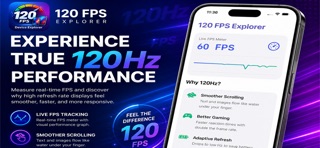
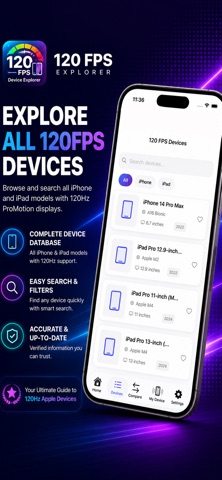
120 FPS Meter & Explorer Discover how your device performs in real time with powerful FPS monitoring, refresh rate insights, detailed hardware information, and performance analysis tools. Whether you're a gamer, tech enthusiast, or power user, 120 FPS Explorer helps you better understand your device's capabilities and performance. Real-Time FPS Monitoring Track frame rates in real time and visualize performance fluctuations with a clean, easy-to-read graph. Features include: • Live FPS monitoring • Real-time performance graphs • Smooth and lightweight experience • Easy-to-understand performance insights Device Information Explore detailed hardware and software information about your device. View: • Device model • CPU information • GPU details • RAM information • Storage information • Display specifications • Screen resolution • Refresh rate support Refresh Rate Insights Learn how high refresh rate displays impact responsiveness and smoothness. Understand: • 60Hz vs 120Hz displays • Display refresh capabilities • Real-world performance benefits • Visual smoothness improvements Performance Analysis Analyze your device and gain useful insights into its performance. Features include: • Device performance checks • Hardware insights • Performance monitoring • System information tools Why Choose 120 FPS Meter and Explorer? Real-time FPS monitoring Detailed device information Refresh rate insights Modern and intuitive interface Lightweight and fast Privacy-focused design Designed for gamers and enthusiasts Download 120 FPS Explorer today and gain deeper insights into your device's performance.
Screenshots