Remote Yoke - SkyYoke
Ka Wang Vong

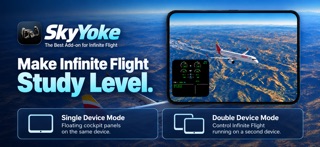
Your Infinite Flight cockpit, in your hands. Flight controls, instruments and a monitoring co-pilot for Infinite Flight. Use two iOS devices or a floating cockpit on one. FLY YOUR WAY • Two devices: Infinite Flight on one, SkyYoke on another. Share Wi-Fi and bind API Controller axes to fly with your phone. • One device (PiP support required): float instruments over Infinite Flight. On iOS 26, Single Device Mode Control opens supported controls. Keep PiP open and use Infinite Flight's flight controls. • Motion Yoke, self-centering touch joystick or compatible game controller. Customize axes, buttons, sensitivity, dead zone, expo and inversion. CONTROLS AT YOUR FINGERTIPS Throttle, rudder, gear, flaps, OFF/FLT/ARM spoilers, trim and supported auto-trim. Pull down on the rudder bar to brake. Tap the brake tile for parking brake; hold it for progressive braking. On Airbus/Boeing aircraft, the throttle's ground red zone changes from reverse to wheel brakes below 40 kt. Other aircraft differ; airborne reverse is blocked. Swipe to look around and change camera views. AUTOPILOT AND AIRCRAFT SYSTEMS Operate ALT, V/S, SPD, HDG, LNAV, VNAV and APPR. Supported Airbus/Boeing aircraft add managed altitude, managed speed and Cost Index. Prepare takeoff speeds and thrust, or use conditional go-around guidance. Managed autothrust and TO/GA cockpit controls are for two-device use. Operate supported electrical, APU, engine, lighting and sign controls. A320neo/A321neo aircraft with supported systems add detailed overhead, ECAM/SD pages and MCDU remote keys. Controls vary by aircraft and simulator version. YOUR MONITORING CO-PILOT Hear control confirmations, flight modes and standard callouts, with captions. Aircraft checklists cover normal and supported non-normal procedures. Read, tick or filter simulated items; Pro read-along checks supported live states. Optional neural read-along voice requires an account, eligible hardware and two devices. VOICE COMMANDS Hold the mic, speak an English command, then release. Set targets, modes, systems, views and checklists. Requires Pro, iOS 26 and Apple Intelligence-capable hardware. Standard phrases use local grammar; other phrasing uses Apple Intelligence. On-device transcription depends on recognizer support. PLAN, WATCH AND FEEL THE FLIGHT • Airbus/Boeing-style PFD, engine and navigation displays; TCAS traffic alerts, GPWS and reactive windshear warnings. • Moving map with route, flown track, traffic and airports. Auto Taxi beta plans and follows supported ground routes in two-device mode, with runway confirmation and STOP. • Aircraft/configuration-aware performance, runway/weather data, local weight/fuel what-if planning and manual V-speeds. • Ground-roll and touchdown haptics; numbered ATC replies and a timestamped message log. • Flight Live Activity: route, progress and ETA on the Lock Screen and Dynamic Island, even after SkyYoke closes. Requires Pro, an account, internet and a qualifying airborne multiplayer flight with an airport destination. • 50 interface localizations, narrated onboarding and connection checks. Cabin simulation is an early-development beta. FREE AND PRO Try core controls free. Two-device use has an 85% thrust cap and a lock after 60 seconds above 500 ft AGL. Single-device: a 1,000-ft AGL floating-cockpit ceiling; AP-engage limits after 60 seconds above 500 ft AGL. Pro removes these limits and unlocks voice commands, checklist read-along and Live Activity. Other requirements apply. Choose a subscription or one-time Lifetime purchase. Subscriptions auto-renew unless cancelled at least 24 hours before renewal; manage them in Apple Account settings. Infinite Flight is required separately. SkyYoke is independent and unofficial, not endorsed by Infinite Flight LLC. All guidance, figures and alerts are for simulation only, never real-world flight. Privacy: https://ifkits.com/privacy.html EULA: https://www.apple.com/legal/internet-services/itunes/dev/stdeula/
Screenshots