PDF Snipper: Pick & Save Pages
Shota Yamada

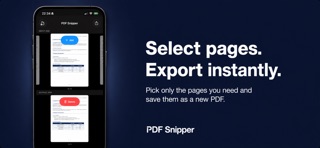
PDF Snipper lets you extract specific pages from any PDF and export them as a new PDF file. HOW TO USE 1. Open a PDF from the Files app 2. Swipe through the input pages and tap "Add" on the pages you want 3. The selected pages appear in the output area below 4. Long-press and drag to reorder pages 5. Tap "Export" to save your new PDF FEATURES · Add the same page multiple times · Reorder pages with intuitive drag gestures · Preserves the original PDF metadata on export · Clean, minimal design
Developer website
https://apps.apple.com/us/developer/shota-yamada/id1887858445?uo=4Released
2026-06-12T07:00:00Z
Current version
1.1
Screenshots