PDF Scanner: Scan Sign OCR
Matthew Wong

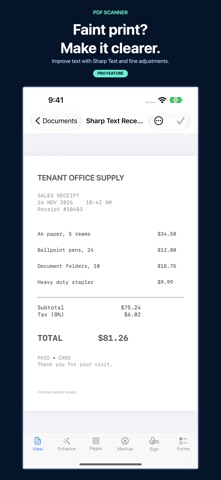
Scan it. Finish it. Find it. Turn receipts, forms, notes and everyday paperwork into PDFs on your iPhone or iPad. Start with the camera, choose photos or import a PDF. No app account to create. FROM PAPER OR PHOTO TO PDF - Scan with automatic page-edge detection and perspective correction - Review imported photos, adjust their corners, rotate and reorder before saving - Keep every captured page, including pages beyond the free viewing limit - Share PDFs through the apps and services available on your device A LIBRARY YOU CAN COME BACK TO Switch between a visual grid and a compact list. Find documents by name, sort your library and keep work together in folders. Recently Deleted lets you recover documents for 30 days. Documents use your own iCloud Drive when available, with local storage as a fallback. FINISH YOUR PAPERWORK WITH PRO - Read and export every page, without the free 3-page limit - Export and share without the PDF Scanner watermark - Create searchable PDFs with on-device OCR and find words inside documents - Draw or scan a signature, save it and place it on a page - Fill supported interactive PDF forms, add text and mark up with your finger or Apple Pencil - Permanently redact sensitive information - Merge, split, extract, flatten and password-protect PDFs - Improve pages with all enhance filters and fine adjustments, including Sharp Text for faint print - Revert enhanced pages to a saved picture of how they looked before enhancement, where available - Protect app access with Face ID or your device passcode - Remove ads FREE TO START Scan, import and organize for free. All captured pages are saved; free viewing shows the first 3 pages of each document. PDFs longer than 3 pages require Pro to share or export. Free exports include a PDF Scanner watermark. When an ad is available, an optional rewarded ad can remove the watermark from one eligible export. The free version is ad-supported. CHOOSE THE PLAN THAT FITS Choose an annual or monthly subscription, or a one-time Lifetime purchase. Where available, eligible annual subscribers can start with a 7-day free trial. Eligibility is checked before the app offers a trial; previous use of an introductory offer can make you ineligible. See your localized price, billing period and offer before confirming with Apple. You can continue using the free tier immediately. YOUR DOCUMENTS, YOUR STORAGE Scanning and text recognition run on your device. Documents stay on your device or in your own iCloud Drive, rather than our servers. Keep originals is on by default and saves a picture before enhancement, using your storage; manage these copies in Settings. Pro can restore that picture, but it does not restore searchable text, interactive form fields or later edits. Questions or feedback: mwsupplylimited@gmail.com Subscriptions renew automatically unless cancelled at least 24 hours before the end of the current period. Payment is charged to your Apple ID. Manage or cancel subscriptions in App Store account settings. Lifetime is a one-time purchase. Terms of Use: https://www.apple.com/legal/internet-services/itunes/dev/stdeula/ Privacy Policy: https://mwsupplylimited.github.io/pdfscanner/privacy.html
Screenshots