555: Tap, Order & Explore
555group pte ltd

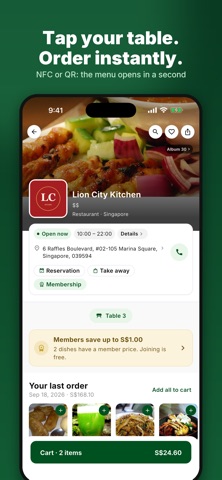
555 — Everything Around You. 555 is the easiest way to discover what is good around you, and to order it without waiting. DISCOVER NEARBY • Restaurants, cafes, bakeries, dessert shops, food courts, marts and local services around you • Browse by category and by cuisine, sort by distance, and filter by what is open now • Real menus with photos, prices, dietary tags, spice levels and prep times TAP OR SCAN TO ORDER • Tap your phone on the 555 sticker at your table, or scan its QR code, and the menu opens instantly • No app-hunting, no waiting for a paper menu, no flagging down staff • Customise every dish: options, add-ons and special requests • Dine in or take away, then confirm and pay at the counter ORDER TOGETHER • Everyone at the table orders from their own phone, and the kitchen gets one order • See what your friends are choosing, live, and submit yours when you are ready • The bill splits itself: everyone sees exactly what their share is • Pay at the counter, together or separately MEMBER PRICES AND REWARDS • Join a shop's free membership in one tap • Unlock member prices, earn points on every order and redeem them on your next visit • Promo codes from the shops you love EVERYTHING IN ONE PLACE • Track live orders and see every past receipt in Activity • Reorder your usual in seconds • Save favourite shops and dishes • Chat with a shop about your order MADE FOR SINGAPORE AND MALAYSIA • Prices in SGD and MYR, with tax shown clearly • Menus and the app in English, Chinese, Malay and Arabic • Browse as a guest, create an account only when you want to 555 — Everything Around You Own a restaurant, cafe or stall? Get the 555 Business app to take orders and get discovered.
Screenshots