Send Faxes: Receive Doc & PDF
变卿 李

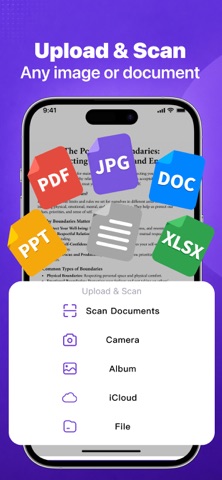
Send Faxes Anytime, Anywhere – No Fax Machine Required A mobile tool optimized specifically for fax sending. Whether you’re on a business trip, working from home, or in the office, send documents to any fax number worldwide in just a few steps. Core Feature: Fast Sending * One‑tap sending: Select file → Enter fax number → Send, completed in 3 steps * Multiple file formats supported: Directly send PDF, Word, Excel, and images (JPG/PNG) * Built‑in document scanner: Auto‑crop and enhance photos for direct fax transmission * Sending history & resend: Check success/failure status and retry with one tap * Multi‑page faxes: Send multiple files at once, auto‑merged into a single fax * Customizable cover page: Choose standard cover or add notes Global Coverage & Reliability * Supports major domestic and international fax numbers * High‑definition fax transmission to prevent blurriness and line loss * Auto‑notification for failures with detailed sending reports Security & Privacy * All faxes transmitted via encrypted channels * Files are not stored long‑term; instant deletion available after sending Use Cases * Send contracts, applications and certificates to companies, government agencies and hospitals * Quotations and purchase orders for international trade professionals * Replace traditional fax machines, no paper or consumables needed -Payment will be charged to iTunes Account at confirmation of purchase. -Subscriptions automatically renew unless auto-renew is turned off at least 24-hours before the end of the current period. -Account will be charged for renewal within 24-hours prior to the end of the current period, and identify the cost of the renewal. Privacy Policy: https://noderepll.com/fax/privacy Terms of User: https://noderepll.com/fax/terms
Screenshots