Word Editor: DOCX Documents
omar yaboutene

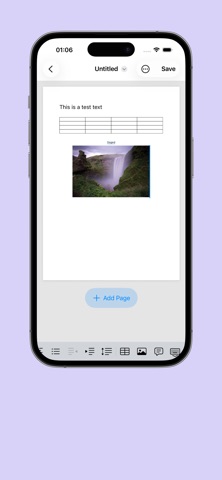
Unlike basic text editors that strip away your document's original formatting, Word Editor features a robust preservation engine. It parses and preserves your .docx structure during edits, ensuring that your layout remains intact when shared with others or opened back up on a desktop. KEY FEATURES: DUAL VIEW MODES: Read Mode: View your documents using high-fidelity native system rendering. Perfect for comfortable, distraction-free reading. Edit Mode: Switch with a single tap into an elegant, dark-themed card workspace designed specifically for mobile touchscreens. PRECISE TEXT FORMATTING: Full control over individual text runs. Customize typography: Select custom fonts and adjust text sizing. Apply emphasis: Bold, Italic, Underline, and Strikethrough. Vibrant coloring: Choose custom text colors to make headings or critical action items stand out. POWERFUL TABLE EDITING: Ditch clunky desktop interfaces. Tweak and edit tables cell-by-cell inside an interactive, scrollable grid view. Keep track of table dimensions instantly with dynamic row and column counting. CREATE OR IMPORT IN SECONDS: Start from scratch with clean, pre-built templates. Easily import existing .docx files from the Files app, iCloud, or external drives. EFFORTLESS FILE MANAGEMENT: Access recently opened documents instantly from your Home dashboard. Organize your workspace with intuitive iOS gestures—simply swipe a file card to clear it from your recents list. Real-time status badges keep track of paragraph counts, table counts, and unsaved changes. PRIVACY-FIRST & OFFLINE-READY: Your documents are processed completely locally on your device. No cloud uploads, no forced accounts, and absolute privacy. Works 100% offline—draft and edit wherever you go.
Screenshots