Health Data Widgets
Daniel Buehner

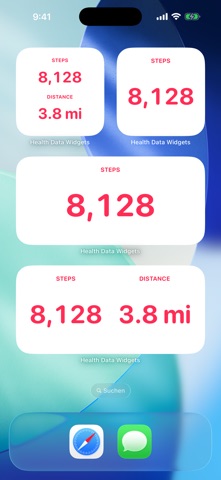
Bring your most-watched Apple Health data out of the Health app and onto your Home Screen and Lock Screen. Health Data Widgets shows your step count and your walking + running distance on the Home Screen in three sizes, in a stacked two-metric layout, and on the Lock Screen as circular, rectangular, or inline complications. Each widget you add can be configured independently, long-press to pick what it displays. What you can do: • Add Steps or Distance widgets to your Home Screen (Small, Medium, Large) • Add a Multi widget to show two metrics side-by-side or stacked • Add complications to your Lock Screen (circular, rectangular, and inline) • Configure each widget instance independently • Choose how the value aligns inside the widget (top/middle/bottom, left/center/right) • Pick a text color for Home Screen widgets from seven curated presets • Hide the widget heading if you just want the number • Browse a live in-app gallery to see every size before adding it • Read the per-surface Help guides to learn how to add and configure each widget Built to feel like an extension of Apple Health: bold pink numbers on a clean adaptive background. No clutter. Everything is local: • Read-only access to Apple Health • No network requests, ever • No analytics, no tracking • Nothing leaves your device Light + dark mode. Locale-aware units (km / mi). English + German. iPhone + iPad.
Screenshots