Vista Weather: Forecast & Maps
Zhong Zhi Hu

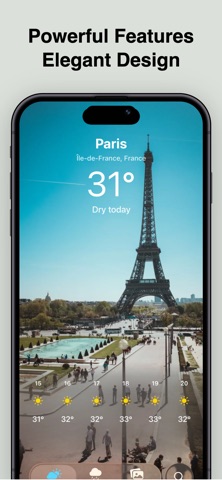
Vista Weather is an accurate, powerful, and beautiful weather app built for fast answers and advanced forecast insight. Designed by a data scientist, Vista Weather keeps the everyday forecast simple while giving you advanced tools when you want to look closer. Features: • Hyper-local, minute-by-minute rain forecast for the next 4 hours • Compare multiple forecast sources side by side • Understand forecast uncertainty • Advanced global and national weather data sources • Up to 30-day forecast outlook • Air quality, pollen, UV, and more • Beautiful photography matching your location or conditions • Home Screen and Lock Screen widgets Privacy: Vista Weather collects no personal data and uses zero tracking or analytics. Location data is used only to fetch forecasts and is not sold, stored for advertising, or shared with third parties. Privacy Policy: https://vistaweather.com/privacy/ Subscriptions: Payment will be charged to your Apple ID upon purchase confirmation. Subscriptions automatically renew unless canceled at least 24 hours before the current period ends. Your account will be charged for renewal within that final 24-hour window. You can manage or cancel your subscriptions anytime in your App Store account settings. Terms of Use: https://www.apple.com/legal/internet-services/itunes/dev/stdeula/
Screenshots