Clipped: AI Video Clipper
Salvatore Castellitti

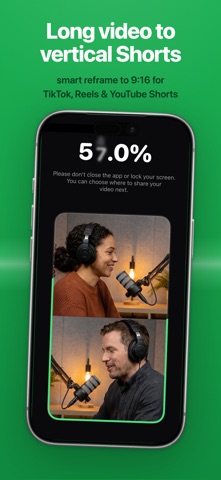
Clipped turns long recordings (podcasts, interviews, lectures, livestreams) into short, ready-to-post clips, entirely on your iPhone. No uploads. No account. No monthly credit limits. Because every model runs on-device, Clipped works in airplane mode and never sends your footage anywhere. HOW IT WORKS 1. Import a long video: podcast, interview, lecture, livestream, or vlog. 2. Pick a model in Settings: Smarter for the best highlight picks, Faster for quicker results, or No AI to choose moments yourself. Apple's on-device Speech engine transcribes the audio; download extra language packs anytime. 3. On-device AI finds the strongest moments and builds clips automatically. 4. Auto-captions are burned into the video. Choose from 7 animated styles, customize the colors, and preview the look live before exporting. 5. Reframe from 16:9 to 9:16 with face detection and tracking. Pick a layout: hard crop that follows the speaker, split-screen, or blur-fill. 6. Export straight to your Camera Roll, ready to post to TikTok, Reels, or Shorts. NEW IN 2.0 - Advanced framing: split-screen panes and a face-tracked camera with smooth motion - Enhance pass: adds AI-timed visual beats, animated text and stat overlays synced to what's being said - AI social captions: generate ready-to-post captions with Apple Intelligence - Redesigned Home and Settings, a model download manager, and noticeably faster transcription WHY ON-DEVICE MATTERS - Your footage never leaves your phone. No cloud, no server, nothing to leak. - Works anywhere: airplane mode, no signal, remote shoots, sensitive client footage. - No account required. Open the app and start clipping. - No monthly credit limits. One podcast or fifty, clip as many as you like, every day. PERFECT FOR - Podcasters turning full episodes into shorts - Streamers and YouTubers clipping long VODs and streams - Interviewers, coaches, and course creators repurposing long recordings - Anyone who wants full control over sensitive or unreleased footage HONEST PRICING Clipped is free to use. Every export includes a small watermark until you remove it with a single one-time purchase. That's the whole model: no subscription, no monthly credits, no "Pro" tier, no paywalled features. Compare that to the rest of this category, which is entirely subscription- and credit-metered, often $15-$30 a month or more. With Clipped, what you pay never changes whether you clip once or every single day. Privacy: https://www.clipped.cc/privacy Terms: https://www.clipped.cc/terms https://www.clipped.cc/
Screenshots