OpLine
Justin Calvert

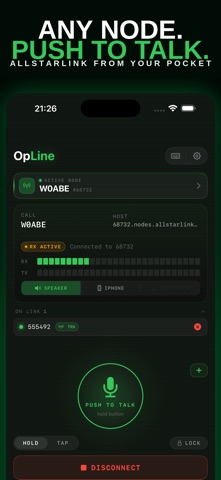
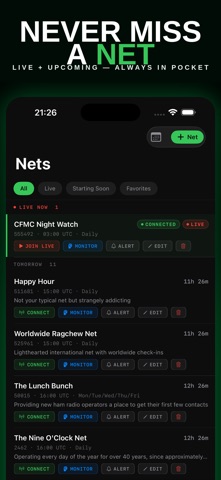
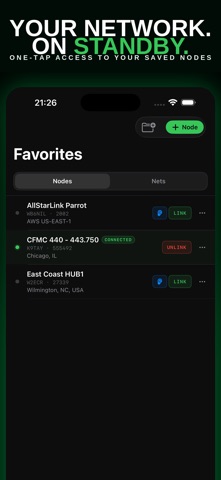
OpLine - AllStarLink in Your Pocket Connect to AllStarLink nodes anywhere your iPhone has signal. OpLine is a fast, native iOS client for licensed amateur radio operators who want a clean, reliable way to get on the network without desktop tools or generic SIP clients. KEY FEATURES Push to Talk Hold-to-talk or tap-to-toggle. Lock the mic when you need both hands free. Designed to feel like a real radio. Keyed Nodes See which nodes are transmitting across the network right now, busiest first, and tap to jump in. Live Net Schedule Browse upcoming nets, filter by region or favorites, and set reminders before they start. Smart Favorites Save your daily-driver nodes and the nets you actually attend. Real-Time Telemetry RX/TX meters, connection status, and who is linked to the node you are on. Bluetooth and Hands Free Bluetooth PTT handsets, mic selection, Lock Screen controls, widgets, Siri, and the Action Button. OPLINE PULSE (optional subscription) Pulse is the network, around the clock: a map of busy hubs, which hubs are talking right now, a push when a node you follow wakes up, how busy AllStar was over the last day or week, talk-time history for the hubs people follow, and the nets that really run, verified against what the network actually did. Pulse Monthly: $1.99 per month. Pulse Annual: $12.99 per year. New subscribers get the first week free. Payment is charged to your Apple Account at confirmation. The subscription renews automatically unless cancelled at least 24 hours before the end of the current period, and can be managed in your Apple Account settings. Everything else in OpLine is included in the one-time purchase and always will be. Bought OpLine before Pulse existed? Your first year of Pulse is free. It switches on by itself. Terms of Use: https://www.apple.com/legal/internet-services/itunes/dev/stdeula/ Privacy Policy: https://www.opline.app/privacy REQUIREMENTS - A valid amateur radio license and call sign are required to transmit. - An AllStarLink node connection. Your own ASL3 Raspberry Pi node is recommended; see opline.app/setup for a free build guide. - Standard amateur radio rules apply: identify with your call sign and follow Part 97 or your country's equivalent. WHY OPLINE Most AllStarLink clients started as desktop tools and were retrofitted for mobile. OpLine was designed iPhone-first: instant connect, sub-second PTT response, clean telemetry, and a UI that respects your time. No ads. No account. The app is a one-time purchase; Pulse is optional. Built by a licensed ham who wanted a better way to get on the air from a phone. NEW TO HAM RADIO? Visit opline.app/license for a quick guide to getting your Technician license, the only license you need to use OpLine. 73, OpLine
Screenshots