Tracket Motion: Video Editor
Oleksandr Ksondzyk

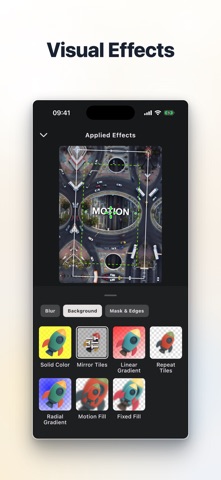
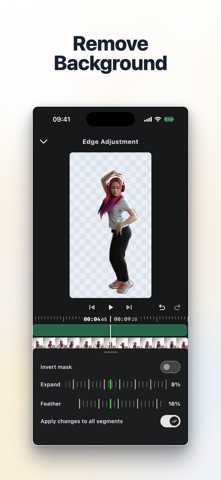
Track motion, stabilize footage, and build layered video edits in one timeline. Tracket is a mobile video editor built for motion. Follow objects, attach overlays to their movement, stabilize shaky clips, create subject cutouts, and finish the edit without leaving your project. Motion tracking • Use one-point tracking for position or two-point tracking for position, rotation, and scale • Attach or detach text, images, videos, and stickers from tracked motion • Refine position, scale, rotation, opacity, and more with keyframes Video stabilization • Stabilize main clips and video overlays • Choose Simple, Standard, or Cinematic motion models • Adjust stabilization strength and framing with crop, scale, or extend options Cutout and creative layers • Separate subjects from the background with Subject, Selfie, or Magic Touch selection • Track cutouts through a clip and refine mask edges • Combine video, image, text, sticker, and audio layers • Apply effects, blend modes, and opacity controls Depth and color tools • Style depth with blur, masks, fog, contours, grayscale, heatmaps, and duotone looks • Animate detailed color adjustments with keyframes and start from built-in or custom presets Timeline and audio editing • Split, reorder, duplicate, replace, and trim clips • Create speed changes and precision speed curves • Extract audio, add music, and adjust volume and fades • Compose for vertical, horizontal, square, and cinematic aspect ratios Preview and export • Use proxy media and adjustable preview resolution for demanding projects • Export up to 4K and 60 fps with selectable quality Tracket can be used free with ads and a watermark. Upgrade to Pro for advanced stabilizer controls and export options, ad-free editing, and watermark-free exports. Terms of Use (EULA): https://www.apple.com/legal/internet-services/itunes/dev/stdeula/
Screenshots