Resize My Photo
Florian Schimanke

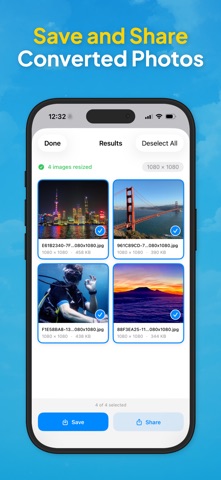
Your photos deserve to look perfect on every platform. Resize My Photo gives you pixel-perfect dimensions for Instagram, TikTok, Facebook, YouTube, LinkedIn, Pinterest, Snapchat, WhatsApp, Threads, and X — with one tap. No more blurry uploads, awkward cropping, or wasted time in complex editing apps. Just pick your photos, choose a platform and format, and get perfectly sized results in seconds. WHAT MAKES THIS APP DIFFERENT ◆ 28 Ready-Made Presets Every preset matches the latest official recommendations — from square feed posts and vertical stories to channel banners and profile pictures. Always up to date, always the right dimensions. ◆ Custom Dimensions Need a specific width and height? Enter your own values in pixels. Lock the aspect ratio to keep proportions intact, or go freeform. ◆ Three Resize Modes Fill crops your image to perfectly cover the target area. Fit places your entire image on a background of your choice — white, black, or a beautiful blurred version of your photo. Stretch adapts to the exact dimensions you set. ◆ Live Preview See exactly how your resized image will look before you commit. In Fill mode, drag to reposition and pinch to zoom — choose the perfect crop interactively. ◆ Batch Processing Select up to 50 photos at once and resize them all in one go. Perfect for content creators who prepare posts in advance. ◆ Share or Save Instantly Save your resized images directly to your photo library or share them via any app — AirDrop, Messages, email, cloud storage, or straight to your favorite platform. ◆ Works From Any App Use the built-in Share Extension to resize photos without even opening the app. Select images in Photos, Files, or any other app, tap Share, and choose Resize My Photo. 100% PRIVATE All processing happens on your device. Your photos are never uploaded to any server. No account required. No tracking. No ads. No subscription. Works on iPhone and iPad.
Screenshots