Gantry: Scene Converter

Cristian Diaz

Gantry: Scene Converter app icon
0.0 stars$9.99
4+Version 1.4Updated 5/7/2026, 1:31:34 AM
Open in Store

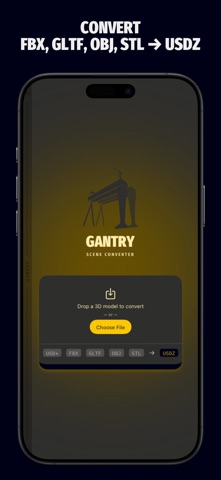
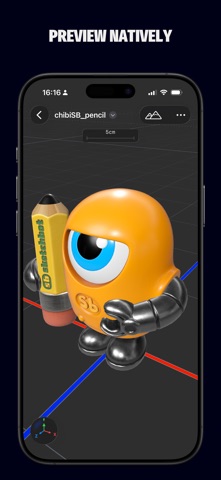
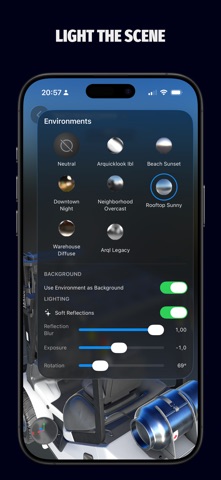
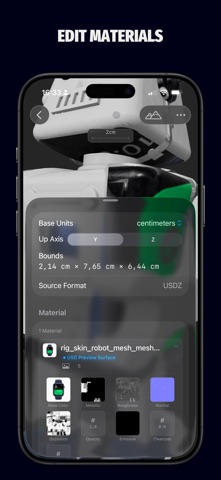
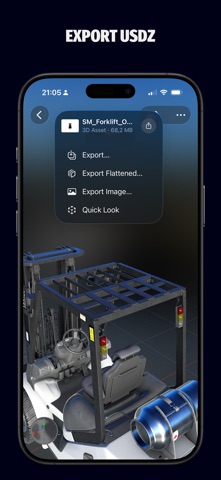
Open any 3D file—from Files, your browser, email, anywhere—and get USDZ back in seconds. No desktop software. No round-trip. Just open, convert, and share. That's Gantry's core. But once your asset loads, you might not want to leave. --- CONVERT FROM ANYWHERE The first native on-device converter for the formats spatial computing actually uses. Import FBX, glTF/GLB, OBJ, and STL from any app via the iOS share sheet or Open In. Export as USDZ—standard or flattened for AR viewers that don't support nested scenes. Share the result instantly or save it to Files. --- REALITYKIT VIEWPORT Your model renders live in RealityKit, exactly as it will appear on iPhone, iPad, and Apple Vision Pro. Orbit, zoom, pan. Watch how surface properties respond as the light shifts. This is Apple-accurate — not a generic WebGL preview. --- ENVIRONMENT LIGHTING IBL environments: Neutral, Beach Sunset, Downtown Night, Neighborhood Overcast, Rooftop Sunny, and more. Adjust exposure, blur, and rotation and set the environment as the scene background. The difference between rough ceramic and polished metal isn't obvious in a screenshot—under real IBL, it's unmistakable. --- MATERIAL EDITOR Edit materials with live feedback in the viewport. Keep them as-is, or convert to USD Preview Surface or MaterialX. Adjust the base color, metallic, roughness, emissive, and opacity. Replace or clear individual texture channels. What you see is what you get (exported). --- VARIANTS Switch between USD variant sets in the viewport—different colors, configurations, and states—all explorable before export. --- EXPORT TO IMAGE Capture the viewport exactly as you've staged it. Whether in portrait or landscape mode, the image will match your chosen orientation. Share to Messages, socials, or use it as wallpaper. --- TEXTURE OPTIMIZATION Per-channel control: JPEG or PNG output, quality presets (Fast, Balanced, Best), and maximum resolution. --- An essential tool for any spatial creator.

Released
2026-04-12T07:00:00Z
Current version
1.4