Notado - Meeting Minutes
Zoumite Franck Armel Mamboue

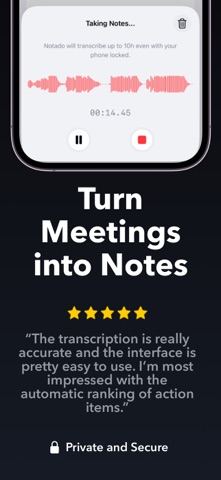
Notado — AI Meeting Notes That Tell You What Matters Next Most transcription apps give you transcripts. Notado gives you clarity, priorities, and momentum. Record your meetings, get automatic transcripts and a clear summary, and chat with AI about what was said. Notado also does the hardest part for you: identify and prioritize the action items that matter most. Notado is built for people who don’t just want notes. They want to know what to do next. Why Notado stands out: • Automatic task prioritization • Automatic meeting transcripts and a smart summary for every recording • Chat with AI to ask questions, revisit decisions, and find next steps faster • Daily top-priority tasks surfaced for you • Interactive widgets to keep key action items visible • Daily reminders so high-impact work never gets buried • One-tap meeting recording • PDF export for easy sharing • Folders, list view, and calendar view for organization • Face ID / Touch ID protection for your notes Meetings create too much information. Notado turns that information into focused action. After each recording, Notado processes your meeting and organizes it into a transcript, highlights, a summary, and action items. Then you can chat with AI to review decisions, clarify follow-ups, and quickly understand what matters most. Its AI also helps you cut through the noise by automatically surfacing the top priorities to focus on next. That means less time reviewing long notes, less mental overhead deciding what matters, and less risk of important follow-ups getting lost. Whether you’re managing client calls, team syncs, planning sessions, 1:1s, or weekly reviews, Notado helps you move from conversation to execution faster. -------- What makes Notado different? Notado doesn’t stop at transcription. Its biggest advantage is AI-powered action item prioritization, plus chat with AI about your meetings, so you can focus on the few tasks that matter most instead of scanning every note yourself. Does Notado generate transcripts and a summary for each meeting? Yes. After each recording, Notado generates an automatic transcript along with an AI-powered summary, highlights, and action items. Can I chat with AI about a meeting? Yes. Once your meeting has been processed, you can chat with AI to ask questions about what was discussed, revisit decisions, identify next steps, and quickly find the information that matters. Do I have to create action items manually? No. Notado automatically identifies action items from your meetings and prioritizes the most important ones for you. You can still edit or add your own items in your meeting notes anytime. Do I have to keep my screen open to record long meetings? No. Notado uses iOS Live Activity during recording, so you can lock your phone and keep recording long meetings without keeping the screen on. Live Activity keeps the session visible on the Lock Screen and gives you quick control while recording. Can Notado help me stay focused after the meeting ends? Yes. Notado highlights your top priorities, supports daily reminders, offers interactive widgets, and lets you chat with AI so your most important follow-ups stay clear and actionable. Can I share my meeting notes? Yes. You can export notes as PDFs and choose which sections to include. -------- How do I contact support? Email hello@iosstud.io Privacy Policy: https://iosstud.io/meetingnotes/legal/privacy Terms of Use: https://www.apple.com/legal/internet-services/itunes/dev/stdeula
Screenshots