Screen Mirroring to Smart TV.
DivMulTech

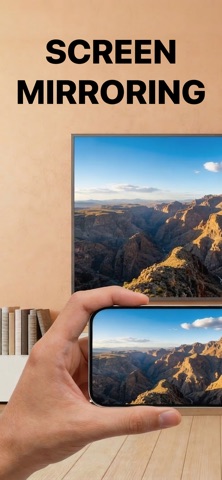
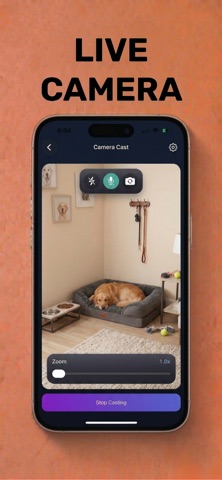
Turn your phone into an easy screen mirroring and casting tool with Screen Mirroring: TV Cast. Quickly discover nearby TVs, connect with minimal setup, and send photos, videos, live screen content, and camera view to the big screen from one place. KEY FEATURES Fast TV Discovery · Supports LG webOS, Samsung TVs, Roku, Fire TV, Google TV, Chromecast, and other compatible devices · Auto-scan for nearby TVs and streaming devices on the same Wi-Fi network · Manual “Connect via IP” mode when scan is limited by router settings Live Screen Mirroring · Mirror your iPhone screen to your TV · Great for apps, presentations, browsing, demos, and everyday sharing · Audio and orientation options help fit different viewing needs Photo Casting · Cast photos from your iPhone library · Share snapshots, albums, and favorite moments on the big screen · Simple slideshow playback for photo viewing Video Casting · Cast local videos from your iPhone · Play clips and longer videos on your TV · Stop playback anytime with one tap Camera Cast · Use your iPhone camera as a live source on your TV · Switch cameras, adjust zoom, and manage sound while casting · Great for live moments, simple demos, and room sharing Easy Setup · Reconnect to saved TVs faster · Helpful pairing guidance for supported TVs · Simple interface designed for everyday casting Whether you want to mirror apps, share photos, play videos, or send a live camera view to the big screen, Screen Mirroring: TV Cast keeps casting simple. Download now and start casting from your iPhone to your TV. Premium access: Upgrade to Screen Mirroring: TV Cast Premium to unlock full casting and live mirroring capabilities. Subscription plans: Weekly and yearly options are available in-app. Final pricing is shown in the App Store at purchase and can vary by region. Terms of Use: https://divmultech.com/screen-mirroring-tv-cast-terms-of-use/ Privacy Policy: https://divmultech.com/screen-mirroring-tv-cast-privacy-policy/ Screen Mirroring: TV Cast support email: mirrorapp@divmultech.com LG, Samsung, Roku, Fire TV, Google TV, Google Cast, and Chromecast are trademarks of their respective owners. Screen Mirroring: TV Cast is an independent app and is not affiliated with or endorsed by any brands mentioned above.
Screenshots