智休闹钟
全 周

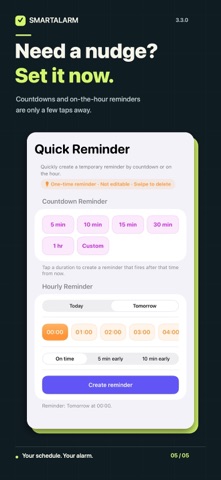
Your schedule doesn't always fit a Monday-to-Friday week. SmartAlarm follows China's holidays, makeup workdays, and your own shifts, so your alarm fits the days you actually work and rest. Make the repeat rule yours • Working days and non-working days can follow China's holiday and makeup-workday calendar. • Choose weekly, alternating-week, cycle, or specific-date alarms for your own shifts. • Mark a personal day off or extra workday in the calendar when plans change. Get set up in less time • Pick a common repeat rule at a glance, or copy an alarm and adjust it. • See the next ring in your alarm list, skip the next occurrence, and review future dates in the calendar. • Use Quick Reminder for one-off plans and widgets for a quick glance. • Choose system, 12-hour, or 24-hour time display in the app. English and Simplified Chinese are supported. For bedtime and beyond • Mark a wake-up alarm to get a bedtime reminder based on your sleep goal. • Use Bedside Clock in StandBy. Home and Lock Screen widgets show upcoming alarms; Live Activities show ringing and snooze countdowns. • Get a heads-up before a makeup workday or the first day of a holiday. Reliable and private • Built on Apple's AlarmKit, so alarms ring in Silent mode and Focus. • China's holiday data comes from Apple's calendar and updates online. • No account, ads, or tracking. Your alarm data stays on your device. Requires iOS 26 or later. Some complex repeating schedules need the app to be opened periodically to extend their coverage.
Screenshots