LiveCut - Stitch LivePhotos
杰 张

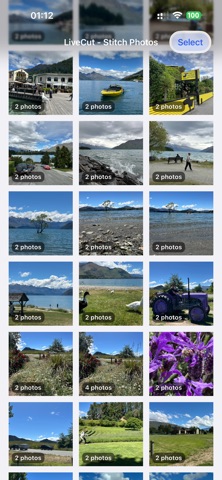
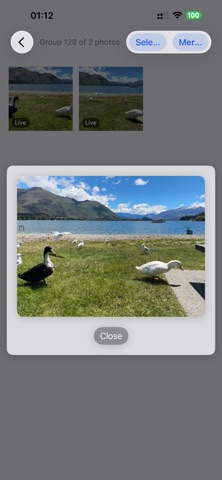
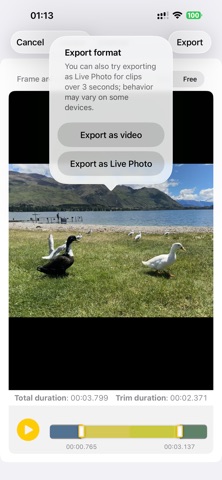
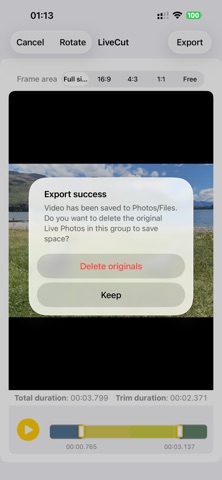
LiveCut helps you tame your Live Photo library. When capturing life's fleeting moments — kids playing, pets running, a sunset in motion — you often tap the shutter multiple times in quick succession. Each Live Photo records about 3 seconds of video around the shutter moment, resulting in overlapping clips that clutter your library with redundant footage. LiveCut solves this in seconds: SCAN & DETECT • Scans your entire Live Photo library automatically. • Groups overlapping Live Photos by time and orientation (portrait/landscape are never mixed). MERGE & ALIGN • Stitches overlapping clips into a single, continuous video with frame-accurate time alignment. • Eliminates duplicate frames in overlap regions — no jitter, no flicker (well, try best efforts). • Preserves original color fidelity (P3 wide color, HEVC encoding). TRIM & CROP • Drag the timeline sliders to trim the start and end. • Choose an aspect ratio (Full, 16:9, 4:3, 1:1, or Freeform) and drag the crop rectangle to frame your shot. • Crop metadata is written non-destructively — you can adjust or revert in Photos later. EXPORT & CLEAN UP • Export as a standard video or as a new Live Photo (any duration). • Exported files keep the original capture date, so they sort correctly in your library. • Optionally delete the original overlapping Live Photos to reclaim storage. PRIVACY FIRST • All processing happens entirely on your device. Nothing is uploaded anywhere. LiveCut is the perfect companion for anyone who loves capturing life in motion but hates the clutter that comes with it.
Screenshots