KineXi: Budget & Expenses
AJMAL ABDUL AKBAR

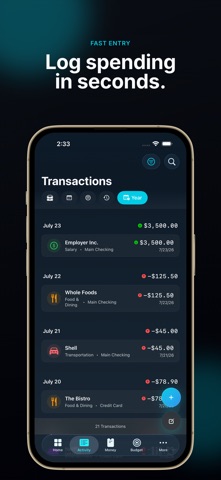
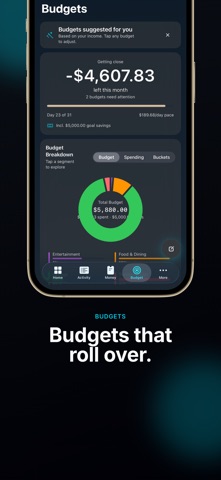
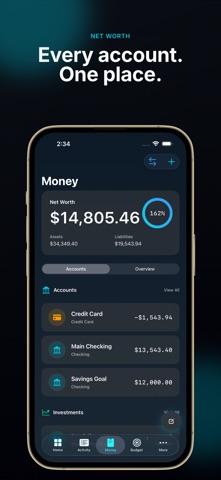
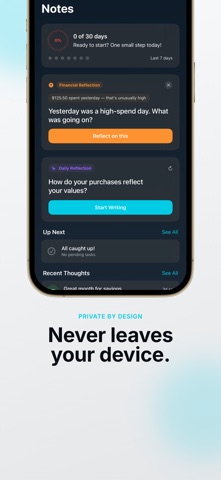
We don't make budgeting automatic. We make manual entry so fast you won't want automatic. KineXi is a privacy-focused budget and expense tracker built for people who want to actually understand where their money goes — without linking a bank account or sending your data anywhere. PRIVATE BY DESIGN KineXi never connects to your bank, never reads your Apple Pay activity, and never uploads your financial data to a server. Everything lives on your device. There is no account to create and nothing to sync to the cloud unless you choose to back up to your own iCloud. FAST MANUAL ENTRY Logging a transaction takes seconds. Smart defaults, quick categories, and on-device intelligence (powered by Apple Intelligence, where supported) help you categorize and review spending without the friction that makes most budget apps get abandoned within a week. EVERYTHING IN ONE PLACE - Accounts, transactions, and transfers - Budgets with rollover and savings goals - Bills and recurring payments - Loans and debt payoff tracking - Investment portfolio and business holdings - Net worth over time - Notes and journaling tied to your financial life ON-DEVICE INTELLIGENCE Where Apple Intelligence is available, KineXi offers smart categorization, natural-language search, and personalized insights — all processed on your device. Nothing you type is ever sent to a cloud AI service. BUILT FOR CLARITY A calm, glass-inspired design keeps the focus on your numbers, not on notifications and gamification. KineXi is built to be the app you open for thirty seconds, several times a day, without dreading it. KineXi is available in English, Spanish, Tamil, and Arabic. Privacy Policy: https://kinexi.app/privacy Terms of Use (EULA): https://www.apple.com/legal/internet-services/itunes/dev/stdeula/
Screenshots