Odo: Speedometer, Drive & Ride
Taohidul Islam

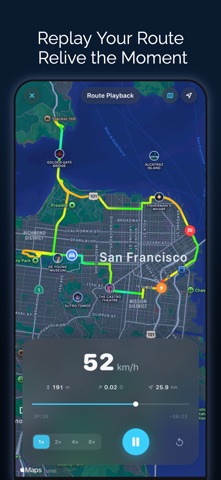
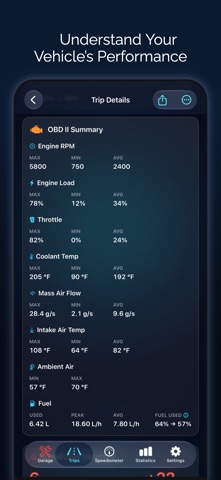
Odo is a GPS speedometer, drive and mileage tracker for car, motorcycle and bike, on iPhone, iPad and CarPlay. Record every drive automatically, get speed limit alerts, navigate turn by turn, time 0-60 sprints, read OBD2 codes, and keep your mileage log, fuel, EV charging and maintenance in one place. AUTOMATIC TRIP TRACKING • Trips start and stop on their own using motion detection, CarPlay or Bluetooth, for car, motorcycle or bike • Auto-pause, auto-end and automatic vehicle matching by CarPlay, Bluetooth or VIN • Distance, duration, moving time, average and top speed, elevation, turns and max G-force • Mileage tracker for work or personal trips: tags, saved places, auto-tagging, favorites, merge and split LIVE SPEEDOMETER • Digital, analog, map and windshield HUD displays in mph, km/h, knots or m/s • 50+ gauge designs, from automotive and sport to marine and aviation • Speed limit alerts with custom presets and a violations history • Picture in Picture shows your speed over other apps • Dynamic Island, Live Activities, and Home and Lock Screen widgets NAVIGATION & CARPLAY • Turn-by-turn navigation with voice and lane guidance, from Apple Maps or OpenStreetMap, plus your own usual routes • Live Comparison against your usual time, and the next turn on the Lock Screen • Add fuel, charging or food stops; avoid tolls, highways, ferries or any spot you choose • Muted and Dark map styles, live traffic and a 3D view, also in CarPlay • CarPlay map, dashboard and instrument cluster with live speed, trip stats and OBD readings ROUTES, REPLAY & STATS • Replay any trip or imported GPX route, heading-up or north-up, with speed-colored routes • Route History compares every run of the same route • 0-60 sprint timer: 0-60 mph, 0-100 km/h or custom ranges, with trophy rankings • Speed and elevation charts, speed distribution, top speed medals, most visited cities and lifetime stats • AI Trip Insights explain each drive, on device • Monthly Recap of your driving, ready to share FUEL, EV & EXPENSES • Fuel log and gas mileage tracker with cost, volume and fuel economy (MPG, L/100km, km/L) • Scan the fuel pump display with your camera, or touch and hold the app icon to log fuel fast • EV charging, battery level and electric efficiency • Car maintenance tracker, service reminders by date or mileage, expenses with custom types, and calendar reminders • Nearby fuel stations and EV chargers, garages and any currency • Insurance and registration documents with expiry reminders and PDF receipts • Multiple vehicles with plate and VIN, plus each car's last parked spot OBD2 SCANNER & DIAGNOSTICS • Live engine data: RPM, coolant, fuel level, battery voltage, throttle, O2 sensors and more • Read and clear check engine codes (stored, pending, permanent) with freeze frames, in plain language • Emissions readiness monitors • Tire pressure (TPMS), diesel DPF, 12 V battery charging check and custom PIDs • Per-vehicle history by VIN and a PDF report for your mechanic FRIENDS & CONVOY • Convoy: drive with friends on one live map, with a meeting point, arrival alerts and a walkie-talkie • Add friends, compare drives and climb the leaderboards RECORD & SHARE • Dashcam-style video with a live speed overlay, up to 4K • Trip photos, Trip Reels, replay videos and share cards with or without the map • GPX and CSV import and export by date or tag, automatic export to Files, full backup and restore • On Mac, review your trips, stats and logs, synced through iCloud SIRI & SHORTCUTS • "Hey Siri, navigate to Home with Odo", or start, stop, pause and resume trips • Automations from CarPlay, Bluetooth, NFC, Focus or the Action Button PRIVACY • No account needed to track trips. Data syncs privately through your own iCloud. • Route Privacy hides where your trips start and end when you share Available in English and 35 other languages. Terms of Use: https://www.apple.com/legal/internet-services/itunes/dev/stdeula/ Privacy Policy: https://speedometerproapp.com/privacy
Screenshots