Notes AI
Kawaii

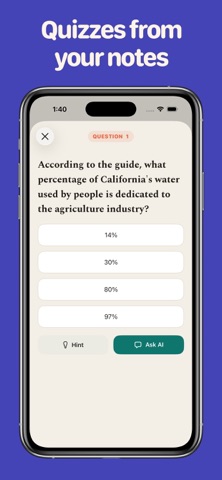
Turn anything you're studying into notes you'll actually use. Notes AI takes a lecture recording, a video link, a dense PDF, or a web article and turns it into clean, organized notes — then helps you actually learn them. IMPORT FROM ANYWHERE • Record a lecture or meeting, or upload an audio file • Paste a video or any website link • Upload a PDF, slide deck, Word doc, or text file • Type or paste in your own notes CLEAN, STRUCTURED NOTES Every import becomes a full set of formatted notes — headings, key points, lists, and tables — not a wall of raw text. The original transcript or source text is always one tap away when you need the exact words. STUDY TOOLS BUILT IN • Flashcards — auto-generated cards that drill the key ideas, in decks from 10 to 50 • Quiz — multiple-choice questions with hints, plus an Ask-AI explanation when you're stuck • Podcast — turn any note into a two-host audio episode you can listen to on the go, with background playback and lock-screen controls • Ask AI — chat with your note to clarify a point, go deeper, or get a fresh example STAY ORGANIZED Keep everything tidy in folders. Rename, move, and reopen your notes in seconds. Whether you're cramming for an exam, catching up on a lecture you missed, or making sense of a long reading, Notes AI handles the busywork so you can focus on understanding. Notes AI uses AI to generate notes and study material from the content you import.
Screenshots