ChartsGPT: AI Chart Analysis
Anthony Verruijt

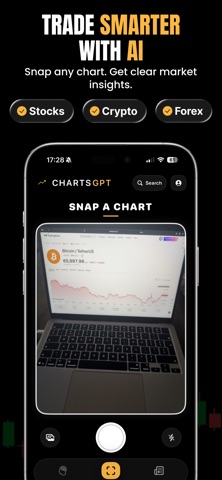
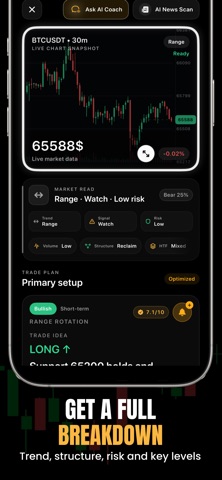
ChartsGPT reads any chart for you. Take a screenshot, get a straight answer. The AI picks up the symbol and timeframe on its own, then walks the chart: where the trend is, which levels matter, what the candles are doing and where the risk sits. You get a setup with an entry, a stop and targets. Stocks, crypto and forex. ChartsGPT is free to download. Full access requires a Pro subscription that renews automatically unless cancelled in your App Store settings. WHAT PRO UNLOCKS • Chart analysis in seconds, from your camera, a screenshot or a symbol you pick • An AI trading assistant you can ask anything about a setup • Trade setups: entry, stop, targets and invalidation, scored for quality • Key levels & patterns: support, resistance, structure and candlestick reads • Technical analysis run on live market data, not just on the image • An alert the moment one of your setups triggers • Live prices: a watchlist with real-time quotes for crypto, stocks, indices, forex and metals • Market news & daily brief: macro catalysts and what moves your markets • Journal & tracker: log trades and follow your performance MARKETS Crypto, stocks, indices, forex, metals and commodities, powered by live market data. WHO IT'S FOR Day traders, swing traders and long-term investors. If you look at charts, this saves you time. ChartsGPT is for education and analysis only and is not financial advice. Trading involves risk. Website: https://www.charts-gpt.com Privacy: https://www.charts-gpt.com/privacy Terms: https://www.charts-gpt.com/terms Support: https://www.charts-gpt.com/support
Screenshots