JPG & Photo to PDF Converter
Nikolay Strikhar

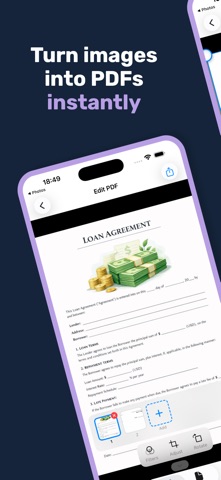
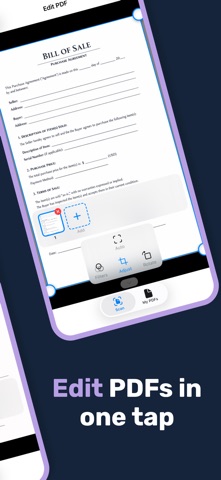
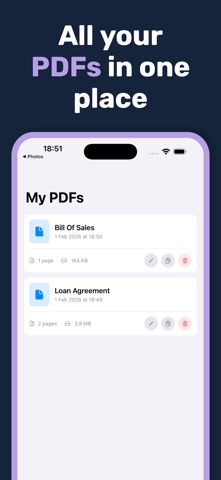
Transform your photos into professional PDF documents in seconds with PDFio — the smart, intuitive Photo to PDF converter for iPhone and iPad. Convert Any Image to PDF Easily convert JPG, PNG, HEIC, and other image formats into high-quality PDF files. Whether you're digitizing receipts, creating document archives, or sharing multi-page reports, PDFio makes Photos to PDF conversion effortless. Multiple Ways to Add Images • Select from your Photo Library • Import files from your device • Scan documents directly with your camera Smart Document Detection PDFio uses advanced technology to automatically detect document boundaries in your photos. The intelligent scanner finds edges, corrects perspective, and crops perfectly — no manual work required. Powerful Editing Tools • Fine-tune document boundaries with precision corner controls • Apply filters: Original, Black & White, or Grayscale • Rotate pages to the perfect orientation • Reorder pages with simple drag-and-drop • Create multi-page PDFs with up to 60 pages Organize Your PDFs Keep all your converted documents in one place. Rename, duplicate, edit, or share your PDFs anytime from the built-in file manager. Share Anywhere Export your Image to PDF conversions via AirDrop, email, cloud storage, or any app that accepts PDF files. Key Features: • Convert JPG to PDF • Convert PNG to PDF • Batch convert multiple photos to one PDF • Automatic document edge detection • Manual boundary adjustment with magnifier • Three image filters for perfect scans • Adjustable compression quality • Built-in PDF organizer Free and Pro PDFio is free to download and use, with a daily free allowance. Upgrade to PDFio Pro to unlock: • PDFs with up to 60 pages • Unlimited sharing • Watermark-free exports PDFio Pro is available as a weekly subscription with a 3-day free trial or as a yearly subscription. Payment is charged to your Apple ID account at confirmation of purchase. Subscriptions renew automatically unless canceled at least 24 hours before the end of the current period. You can manage or cancel your subscription in your App Store account settings at any time. Turn your iPhone into a portable scanner. Download PDFio and start converting your Photos to PDF today! Privacy Policy: https://ivorytarot.com/privacy-policy/ Terms of Use: https://www.apple.com/legal/internet-services/itunes/dev/stdeula/
Screenshots