QuickScan QR - Batch Scanner
武 杨

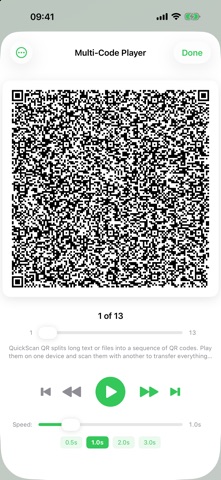
QuickScan QR is a QR code tool built for efficiency: scan in batches, keep results grouped, transfer offline, and make your own codes. BATCH SCANNING • Scan continuously and capture a whole batch in one session. Duplicates are skipped and each session becomes its own group. • Pick several images from Photos and recognize them all at once. • Jump straight to the batch you just scanned. HISTORY AND GROUPS • Every scan session is saved as a group, sorted by time. • Copy, share, or delete a whole group or a selection. Reorder items or append new scans at any position. • Tap a link to open it. MULTI-CODE TRANSFER • Split long text or a file into a sequence of QR codes and play them on screen. Scan them with another device to receive everything. • Works without any network. Includes checksums and optional compression. • Adjustable playback speed, manual paging, and live progress on the receiving side. GENERATE AND CUSTOMIZE • Create QR codes from text or files, then save them to Photos or share them. • Pick from 10 templates right below your code and see the result instantly. • Choose dot and eye styles (including fluid and bar styles), solid or gradient colors, a separate eye color, and a center logo. • Get a heads-up when colors are too low in contrast to scan reliably. • Adjust the error correction level and the amount of data per code. READY FOR IPHONE DUO • Side-by-side layouts when unfolded. When half folded, content stays clear of the crease so a QR code always sits on one side. Scan records are stored only on your device.
Screenshots