Shrink Audio Size
OpsOh LLC

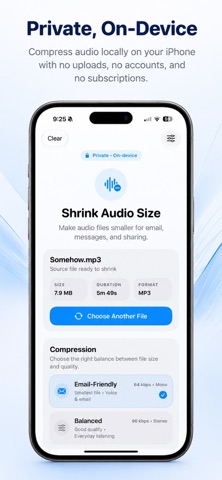
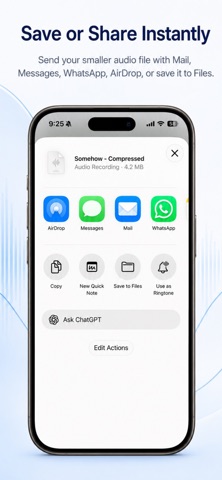
Shrink Audio Size makes large audio files smaller so they’re easier to email, message, save, and share — all directly on your iPhone. No uploads. No accounts. No cloud processing. What you can do: • Compress audio for easier sharing • Choose Email-Friendly, Balanced, or High Quality presets • See the new file size and percentage saved • Save the compressed file to Files • Share it with Mail, Messages, AirDrop, WhatsApp, and more • Keep your audio private with fully on-device processing Simple from start to finish: Pick an audio file, choose a preset, and tap Shrink Now. The app shows you the compressed size and how much space you saved, then lets you save or share the result immediately. No complicated settings. No confusing workflow. Just smaller audio when you need it. Privacy first: Your audio never leaves your device. Shrink Audio Size does not upload your files, require an account, or send your audio to a server.
Screenshots