PDF Editor - Convert File
Wellresion Limited

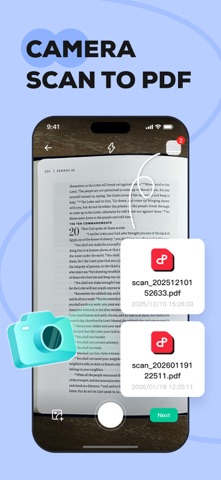
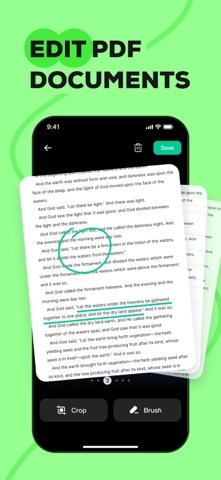
Transform your iPhone into a powerful mobile office with PDF Editor - Convert File. Whether you are a student, a business professional, or just organizing personal documents, our app provides you need to manage PDFs efficiently. KEY FEATURES Smart OCR & Text Recognition • Extract Text: Instantly recognize and extract text from images or scanned documents. • Digitize Docs: Convert paper notes, book pages, or receipts into editable digital text files. • High Accuracy: Powered by advanced scanning technology to ensure precise recognition. Professional PDF Editor • Page Management: Easily add, delete, or rearrange pages to organize your document exactly how you want it. • Annotate & Mark Up: Highlight key information, add text notes to improve readability. • Personalize: Make your documents stand out with custom editing tools. Image to PDF Converter • Batch Conversion: Import multiple images at once and merge them into a single, high-quality PDF file. • Clean Layout: Automatically align and format images for a polished look. Perfect for creating portfolios, photo albums, or ID copies. Easy File Management • Quick Import: Seamlessly import PDFs from your system files or other apps. • Open & Read: A smooth, fast viewing experience for all your PDF documents. • Share Anywhere: Export and share your finished documents via email or social media with just a tap. Why Choose PDF Editor? • User-Friendly Interface: Designed for simplicity and speed. • Privacy Focused: We respect your data; files are processed securely. • All-in-One Utility: No need to switch between a scanner app, an editor app, and a converter app. Contact Us Have questions or suggestions? We'd love to hear from you. Email: contactus@wellresion.com Subscription Information: We offer a subscription service to provide users with an ad-free version. • Upon confirmation of subscription, the fee will be charged to your iTunes account at the time of purchase confirmation. • Subscriptions will automatically renew unless auto-renewal is turned off at least 24 hours before the end of the current subscription period, otherwise you will be charged for the next subscription period. • You can manage your subscription and turn off auto-renewal in Settings after purchase. • Cancellation of the current subscription is not allowed during the subscription period. Links: Privacy Policy: https://pdfeditorconvertfile.com/privacy.html Terms of Use: https://pdfeditorconvertfile.com/terms.html Subscription Terms: https://pdfeditorconvertfile.com/subscription_terms.html
Screenshots