webRios
James Balamuta

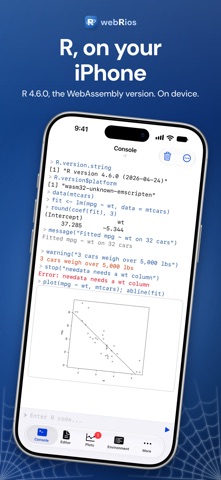
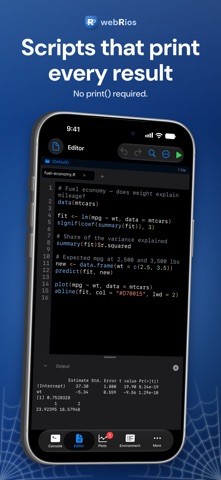
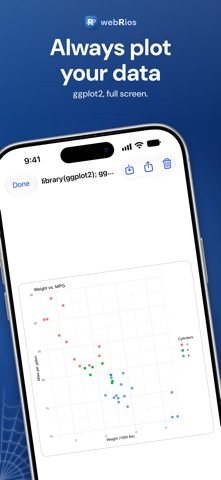
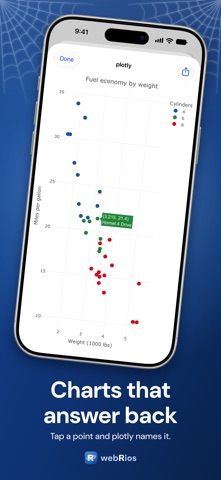
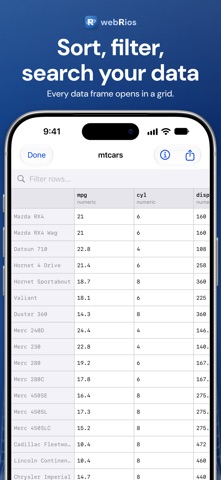
webRios is an R editor for iPhone and iPad. It uses webR, the WebAssembly version of R, to run your code on the device itself, with no server behind it. R ON YOUR DEVICE webR brings R 4.6 to your device, and your code and data stay there. Most R code runs here, though a few packages are not available for WebAssembly. CONSOLE You can run R code and see each result right away, with messages, warnings and errors set apart. Code completion comes from R's own completion engine, with function signature hints. You can stop a runaway loop with one tap, or with Command-period on a keyboard. EDITOR You can write and save R scripts in tabs, and the editor stays fast in long ones. Run a whole script, run a selection, or step through one statement at a time with Command-Return. The editor has syntax highlighting, code folding, find and replace, a code outline, and a keyboard row with the assignment arrow and the pipe. Three example scripts are built in. PLOTS Base R graphics and ggplot2 charts collect in a gallery, and can also appear in the Console. You can pin the plots you want to keep, zoom in, and export or share them. Interactive widgets such as plotly and leaflet work too. DATA The Data Import Wizard brings in CSV files. Data frames, large ones included, open in a grid you can sort, filter and search. You can inspect any column with summary statistics and a chart, and compare two data frames row by row. PACKAGES You can install packages from the webR repository, which offers more than 20,000 CRAN packages. Browse tells you what each package does, and installed packages are saved for next time. When library() can't find a package, one tap installs it. HELP You can search R's documentation on the device and read formatted help pages, then run a page's examples directly. ENVIRONMENT AND HISTORY The Environment shows every variable with its type, size and a preview. History keeps your past commands and their results, ready to run again or export. PROJECTS AND FILES Projects keep your scripts and data together, and each one can have its own R workspace. R scripts, R Markdown, Quarto, R data and CSV files open in webRios from Files, Mail and other apps. Your webRios folder appears in the Files app, and Spotlight finds your scripts from the Home Screen. NETWORK ACCESS Your code can reach the web with httr2 and curl. By default their traffic goes through a proxy that runs on your device. IPAD A four-pane workspace puts the editor, console, environment and plots side by side. Files can open in their own windows, and the File, Code, Run and View menus sit in the menu bar with keyboard shortcuts throughout. ACCESSIBILITY webRios supports VoiceOver, with results and errors read aloud, along with Dynamic Type, Reduce Motion and Increase Contrast. The default themes meet WCAG AA contrast, and errors are marked without relying on color. PRIVATE BY DESIGN Your code runs on your device and works offline. Code and data leave the device only when you share them, install a package, or make a network request from your code. GOOD FOR webRios suits learning R, quick analyses, statistics coursework, trying out an idea, and teaching. webRios is built on webR, the open-source, MIT-licensed WebAssembly version of R (https://webr.r-wasm.org). webRios is not affiliated with or endorsed by the webR project, the R Project, the R Foundation or Posit. The first launch takes a few seconds while R starts. Heavy computations can be slow. You can't build R packages or compile C or Fortran code in webRios.
Screenshots