Bank Converter to CSV
Brittney Pilarcik

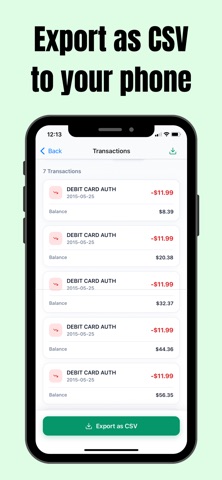
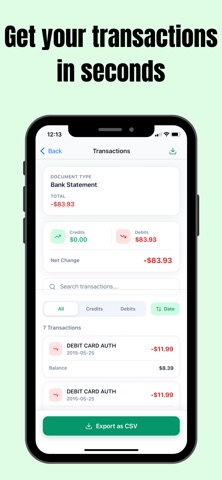
nstantly scan and extract transactions from any bank statement, receipt, invoice, or credit card statement using powerful AI. Stop manually entering data — just snap a photo and get clean, organized results in seconds. What Statement Scanner does: • Scan bank statements, receipts, invoices, utility bills & credit card statements • AI automatically extracts every transaction with dates, amounts & descriptions • Auto-categorizes spending (food, travel, utilities, and more) • View spending insights and trends at a glance • Filter and search transactions instantly • Export to CSV for use in Excel, Google Sheets, or accounting software • Full scan history — revisit any past document anytime Perfect for: Freelancers, small business owners, accountants, and anyone who wants to stay on top of their finances without the manual work. Premium – $5.99/month Unlock unlimited AI processing, unlimited CSV exports, full history access, and priority support. Payment will be charged to your Apple ID account at confirmation of purchase. Subscription automatically renews unless cancelled at least 24 hours before the end of the current period. You can manage and cancel your subscription at any time in your iPhone Settings → Apple ID → Subscriptions. Privacy & Terms Terms of Use: https://docs.google.com/document/d/1ybeEMg0__Kg-DEwXvDQQAQNZMeDZnIAvlXjDMT2zWjE/edit?usp=sharing Privacy Policy: https://docs.google.com/document/d/1mqhUuzot8LaGfTFB2Ja127YmnI1yja75rJFNGhF0gVk/edit?usp=sharing
Screenshots