QuitApp
胜荇 杨

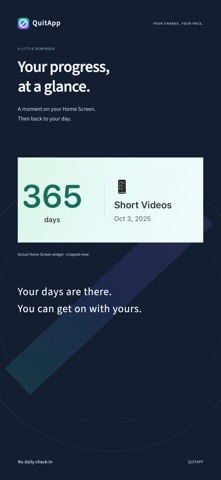
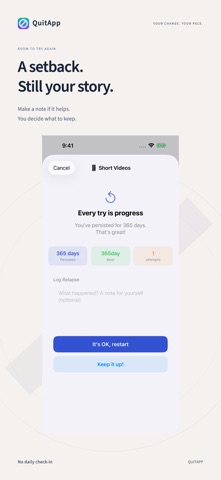
QuitApp is a private days-since counter and habit tracker for iPhone and iPad. It counts elapsed days from a goal’s start time, without daily check-ins, and offers customizable Home Screen widgets and background sounds. Your change. Your pace. Less scrolling, one less bubble tea, or a little space to change a habit of mind. Name what matters to you, then get on with your day. QuitApp is a simple, customizable habit tracker and day counter. It is designed to take very little of your time. SEE YOUR PROGRESS AT A GLANCE The days add up automatically. No daily check-in required. Small, medium and large Home Screen widgets keep your progress in view. MAKE IT YOURS Choose a name, an icon and your own way of expressing a goal. Keep several goals, and customize your widget colors and themes. LEAVE ROOM TO TRY AGAIN If you have a setback, you can record it with an optional reason. Confirming it restarts the counter from that moment. Keep a record to understand your own experience. When you want to share, create a card from your progress. PUT YOUR PHONE DOWN Rain, ocean and forest sounds can accompany a quiet moment. Turn on background playback to keep listening while you use another app or put your phone aside. OUR PROMISE No ads. No account. No in-app purchases. We collect no data. Your records stay on your device, under your control. ALSO ON YOUR MAC DESKTOP With Apple's iPhone widgets on Mac, you can see your progress on your desktop. Requires iOS 17 or later and macOS Sonoma 14 or later, the same Apple Account, devices nearby or on the same Wi-Fi network, and Use iPhone Widgets enabled on your Mac. We hope you enjoy having this little part of life entirely in your own hands. Feedback is always welcome. Contact: yangshengxing88@163.com
Screenshots