Padel & Tennis Scoreboard
Denis Kulkov

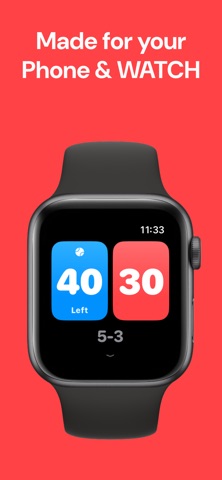
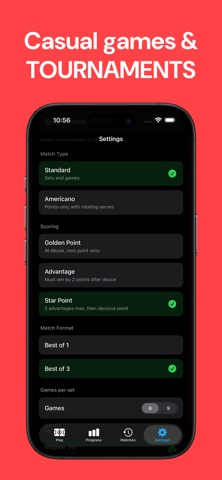
Padel & Tennis Scoreboard is the score keeper for every racket sport — padel, tennis, pickleball, badminton and squash — and it stays out of your way. Pick the sports you play, start a match, tap when you win a point. The app handles the rest: games, sets, tiebreaks, serve rotation and every rule you'd rather not think about mid-rally. Each sport, scored its own way: - Padel: Golden Point, Advantage or Star Point, plus Americano - Tennis: Advantage or No-Ad, tiebreaks, and Fast4 - Pickleball: side-out or rally scoring, games to 11, 15 or 21 - Badminton: rally scoring to 15 or 21 - Squash: games to 11 or 15 - Best of 1, 3 or 5, singles or doubles During the match: - Undo when someone calls the score wrong - Pause and resume if you take a break - Full match history for every sport Every match you finish also moves you forward: - Earn XP for playing and winning, and level up as you go - Unlock bronze, silver and gold badges — first win, tiebreak thrillers, comebacks, win streaks - Daily, weekly and monthly challenges that refresh on their own - Win rate, record, recent form and a 90-day trend, kept separately for each sport - Share a result card after any match Works on iPhone and Apple Watch—start on one, finish on the other. Your level, badges and stats travel with you. Everything runs on your device. No account, no ads. Just you, your match, and a scoreboard that actually works. Questions or want to say hi? Contact link is in Settings. Terms of Use (EULA): https://www.apple.com/legal/internet-services/itunes/dev/stdeula/ Privacy Policy: https://makerbox.notion.site/Padel-ScoreBoard-Privacy-Policy-2e6d30b69c4480d9927cf9d5a0f1a744
Screenshots