Device Lab
广聪 钟

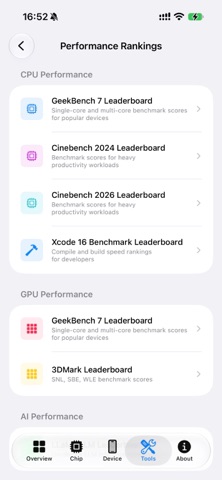
Device Lab is an on-device reference and toolkit for your hardware — hardware monitoring, spec references, chip and device comparisons, system information, and practical utilities, so you can understand and manage the devices you use with more structure and less guesswork. Core Features • Overview: Your device's key stats and live status in one place: thermal state, CPU usage, memory usage, current network speed, and more. The numbers that matter, at a glance — and visible from a Home Screen widget or Picture in Picture whenever you need them. • Chip: Core specs and technical details for chip generations, organized for comparison within a family or across generations, with architecture differences and upgrade highlights laid out clearly. • Device: Hardware configurations and technical specifications across models, with the differences between them spelled out, so you get reliable answers when you're buying, comparing, or just looking something up. • Tools: Performance references and testing tools for chips and devices: performance rankings, benchmark result roundups, and an index of testing utilities, so you can read performance from the data and back up your comparisons with real numbers. Privacy and Principles • On-device first: Core features run entirely on your device. No account or sign-in required. • iCloud sync: Used only to sync your data between your own devices. No personal information is collected or analyzed. Off by default. • Experience first: No ads, no push notifications, no background wake-ups. A clean, minimal interface with a clear information hierarchy that keeps the focus on the content. • Lightweight: A small download that doesn't ask for extra system resources. Device Lab, complex hardware specs, finally readable at a glance.
Screenshots