VVTerm: Native SSH Client
Vivy Technologies

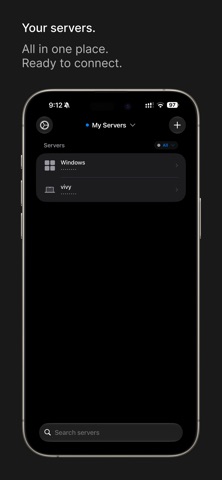
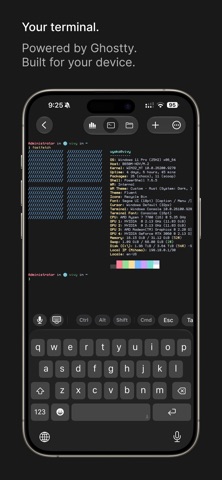
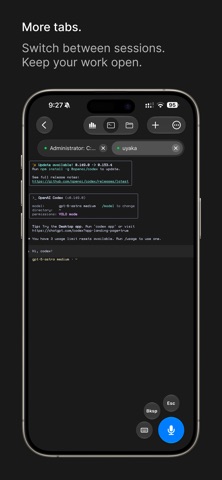
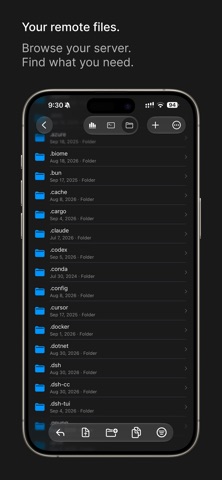
Your servers, always with you. VVTerm is a native SSH terminal powered by Ghostty for iPhone, iPad, and Mac. Connect to your servers, return to your sessions, manage remote files, and check server activity from one app. CONNECT YOUR WAY • Connect with SSH passwords or keys. • Use Tailscale, Mosh, Eternal Terminal, or Cloudflare. • Discover SSH servers on your local network. • Organize servers into workspaces with colors and environment labels. • Sync servers and workspaces across your devices with iCloud. PICK UP WHERE YOU LEFT OFF • Keep remote tasks running after you disconnect with Herdr, tmux, Zellij, or zmx. • Choose a session when you connect. • Work across multiple tabs and split panes with Pro. FILES AND SERVER STATS • Browse, upload, and download files over SFTP. • Preview, rename, move, and share files. • Check CPU, memory, storage, and network activity. • Wake compatible servers with Wake-on-LAN. MAKE THE TERMINAL YOURS • Choose themes and fonts, including a separate font for Chinese, Japanese, and Korean. • Customize keyboard shortcuts, saved commands, and floating controls. • Access Esc, Tab, Ctrl, arrows, and function keys on iPhone and iPad. • Turn speech into text, with optional on-device transcription on supported devices. SECURITY • Store credentials securely in Keychain. • Protect access with app lock and per-server biometric unlock. • Use Privacy Mode to hide sensitive content. START FREE New users get 1 workspace, 1 server, and 1 active connection. VVTerm Pro unlocks unlimited workspaces, servers, and tabs, plus split panes. Choose a monthly or yearly subscription, or lifetime access. Terms of Use (EULA): https://vvterm.com/terms/ Privacy Policy: https://vvterm.com/privacy/
Screenshots