Loopback: Tunnel Browser
yifan z

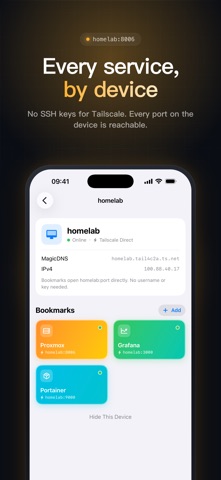
Loopback opens the web services on your private network, right on your iPhone. Your NAS dashboard, the admin panel on your server, the dev build on your laptop: these pages only open on your own network. Loopback connects to them from your phone and shows them in a built-in browser. No system VPN, and nothing exposed to the internet. Two ways to connect, picked per device • Tailscale Direct: sign in to Tailscale in the app and your tailnet devices are listed for you. Bookmarks open device:port directly with no account or key, and every port on the device is reachable. Loopback joins the tailnet on its own, so your phone's system VPN stays off. • SSH Tunnel: for machines without Tailscale, enter the address, username, and a password or private key (Ed25519 / RSA). Loopback sets up a local port forward and opens the page. Services that only listen on localhost work too. Bookmark cards, one tap away • Save each service as a color card with its own icon and path • Forward several ports from one card, for apps with a separate frontend and backend • Filter by device with the tabs at the top, or type an address like nas:8080 to open it right away • Ports are checked before connecting, and connections close when the app goes to the background or times out Private by design • Passwords and private keys stay in your device Keychain • No backend and no data collection • Export and import your setup to move to a new phone Loopback: your private network, one tap away.
Screenshots