Payment Calendar: Bill Tracker
Michal Debinski

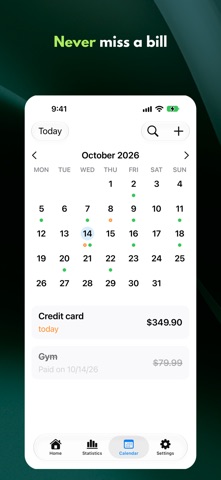
Payment Calendar helps you stay on top of bills and upcoming payments — without clutter, ads, or accounts. Track due dates, mark payments as paid, and see your entire month at a glance. Simple. Private. Offline-first. KEY FEATURES • Calendar view of all upcoming payments • Custom payment reminders • Swipe to mark as paid, edit or duplicate • Correct the actual date you paid, separately from the due date • Search by name, note or amount • 22 currencies, formatted for your region • Trash — deleted payments can be restored for 30 days • Find your payments in system search (Spotlight) • iPad: Split View, windowing, keyboard support and shortcuts • iPhone Duo: the layout adapts to the folded and unfolded screen • Accessibility: follows your system text size, supports Reduce Motion, and never shows payment status by color alone • Dark mode PRIVACY FIRST • No account required • Data stored on your device or in your private iCloud • No tracking, no ads, no third parties • No bank connection — you add payments yourself • Full control over your financial data PRO FEATURES • Recurring payments and subscriptions — daily, weekly, monthly, yearly or a custom interval • Monthly summary and a 6-month spending trend • Home Screen widgets: next payment, monthly summary, trend, month grid • Lock Screen widget • iCloud sync across your Apple devices • CSV and PDF export Stay in control of your payments — simply and securely. Privacy Policy: https://payment-calendar.app/legal/?doc=privacy Terms of Use (EULA): https://www.apple.com/legal/internet-services/itunes/dev/stdeula/
Screenshots