Acapella Editor: Mix Videos
Shaozhuang Chen

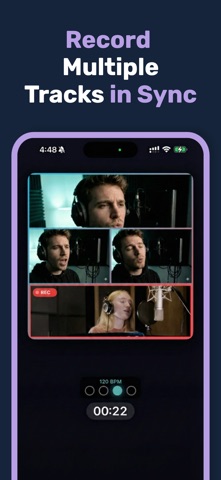
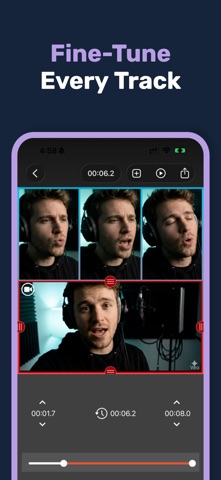
Turn yourself into a one-person choir. Acapella Editor lets you record multiple videos of yourself and combine them into a single split-screen masterpiece. SING ALL THE PARTS Record melody, harmony, bass, and beatbox - layer your voice to create rich, professional-sounding acapella arrangements. Watch yourself perform alongside yourself! EASY TO USE • Choose from multiple grid layouts (2x1, 2x2, 3x3, and more) • Record one cell at a time while hearing your previous tracks • Built-in metronome keeps you perfectly in sync • Trim and adjust each video clip PERFECT FOR • Musicians creating cover songs • Content creators making viral videos • Choir singers practicing harmonies • Beatboxers layering rhythms • Anyone who loves to sing! PROFESSIONAL FEATURES • High-quality video recording • Audio playback while recording new tracks • Multiple aspect ratios for any social platform • Export and share directly to TikTok, Instagram, YouTube CREATE ANYWHERE No studio needed. Record in your bedroom, car, or anywhere inspiration strikes. Your iPhone is your recording studio. JOIN MILLIONS OF CREATORS From bedroom singers to professional musicians, Acapella Editor is the go-to app for split-screen music videos. Download now and start creating your first acapella masterpiece! --- Premium subscription unlocks all grid layouts and removes ads. Payment will be charged to your Apple ID account at confirmation of purchase. Subscription automatically renews unless canceled at least 24 hours before the end of the current period. Manage subscriptions in Account Settings after purchase. Privacy Policy: https://acapellaeditor.com/privacy-ios Terms of Use: https://acapellaeditor.com/terms-ios
Screenshots