TaxAndTip
Ricardo E. Marrero Guzman

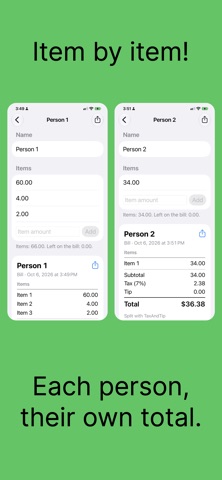
TaxAndTip works out the sales tax, the tip and the total of your bill in seconds. Now it also splits the bill between everyone at the table. Type the subtotal from your receipt. TaxAndTip finds the state you are in, applies its sales tax, adds the tip you choose and shows a clear breakdown: state, county and local tax, tip and total. SPLIT THE BILL • Divide the total equally between up to 20 people. • Or tap a person and enter what they ordered. Their tax and tip follow what they ordered, and everyone else shares the rest equally. • The shares always add up to the exact total, to the cent. SALES TAX FOR YOUR STATE • Built-in rates for all 50 states, Washington, D.C. and Puerto Rico. • Your state is detected from your location, or you can pick it from the list. • Switch between the standard rate and the reduced rate in states that have one. • Edit the state, county and local rates so they match your receipt. TIPS YOUR WAY • Choose from your own list of tip percentages, or no tip. • Add and remove percentages in Tip Settings. • The tip is calculated on the subtotal, before tax. IPHONE, IPAD AND APPLE WATCH • Start a bill on your iPhone and see it on your Apple Watch, or the other way around. • Split the bill equally right from your wrist. • The tax rates and tip options you set on your iPhone are sent to your Apple Watch. • A layout made for iPad and for landscape. PRIVATE • No account and no ads. • Your location is only used to find your state. TaxAndTip does not collect any data. The built-in rates are typical values for each state. Sales tax can vary by county and city, so check your receipt and adjust the rates in Tax Settings if yours is different.
Screenshots