MagicSlides AI: PPT Maker
Sanskar Tiwari

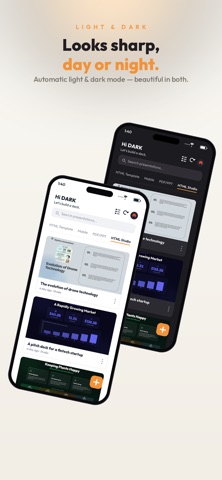
MagicSlides turns your ideas into beautiful, ready-to-present slide decks in seconds — powered by AI. Just type a topic, paste a link, or describe what you need, and Maya — your built-in AI assistant — builds a complete, editable presentation for you. No design skills, no blank-slide paralysis. From pitch decks to lectures to reports, go from idea to finished deck faster than ever. WHY MAGICSLIDES • Maya, your AI presentation assistant Describe your idea in plain words and watch a full deck appear — titles, structure, and content written for you. Ask Maya to refine, rewrite, shorten, or restyle any slide. • 500+ premium templates & brand kit Start from professionally designed templates across every category — business, education, startup, marketing, and more. Apply your brand colors and fonts for a consistent look. • Choose your length and depth Short, informative, or detailed — pick how many slides you want, or set a custom count. Tune the tone, audience, and type for the perfect fit. • Export anywhere Download as PDF or PPTX and keep editing in PowerPoint, Google Slides, or Keynote. Your files, your control. • Beautiful in light or dark One-tap dark mode and a clean, modern interface designed to get out of your way. • Fast and reliable Generate decks in seconds, with smart fallbacks so your work keeps flowing. PERFECT FOR • Founders building pitch decks • Students and teachers creating lectures • Marketers and teams making reports • Anyone who needs a great-looking deck — fast Stop staring at blank slides. Type an idea and get a full presentation in seconds with MagicSlides. Download free and create your first deck today. — Premium plans unlock more templates, longer decks, and advanced AI models.
Screenshots