Next Deck
Holger Heidkamp

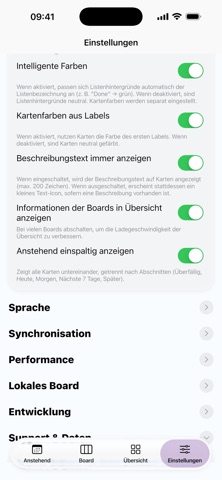
Nextdeck is the modern, lightning‑fast client for Nextcloud Deck — perfect for Kanban, tasks, and projects. Keep boards, columns, and cards under control at all times: move cards via drag and drop, edit details, and keep your overview — on iPhone and iPad, in light and dark mode. Highlights - Drag & drop: move cards within a column or across columns — precise and intuitive. - Reorder & positions: insert cards exactly before another card or move up/down. - Labels & colors: instant orientation with color coding. - Due dates: clear urgency colors for upcoming deadlines. - Assignees: assign teammates and make responsibility visible. - Markdown description: jot down details, neatly previewed on the card tile. - Comments & attachments: compact counters right on the card. - Search: find cards quickly without endless scrolling. - Optimized for iPhone & iPad: compact lists on iPhone, wide columns on iPad. - Dark mode & smart colors: pleasant contrast and great readability. - Privacy‑friendly: your data stays on your own Nextcloud server. Why Nextdeck? - Speed focus: smooth scrolling, snappy interactions, minimal waiting. - Clean, native UI: feels right from the first tap. - Reliable sync: changes persist cleanly with Nextcloud Deck. Requirement: a running Nextcloud instance with the Deck app enabled. Sign in with server URL, username, and app password — done.
Screenshots