Home Inventory & Shopping List
Nabeel Umar Andoorathodi

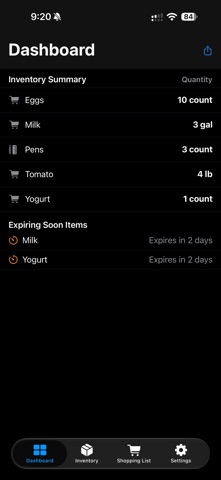
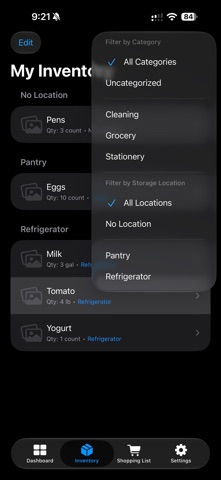
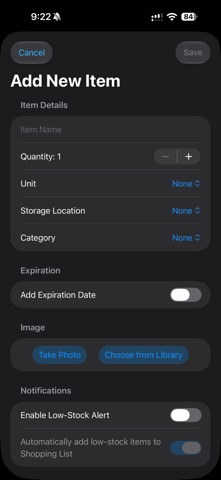
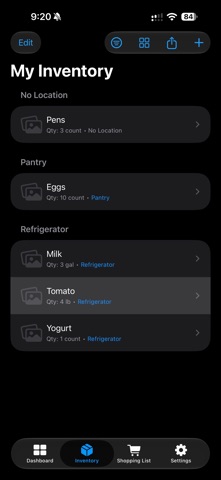
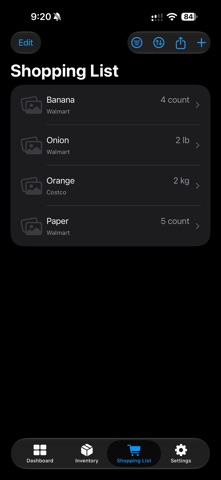
Keep your home organized with Home Inventory & Shopping List, a simple way to track what you have, what you need, and what may expire soon. Manage household inventory, organize items by category and storage location, and keep quantities up to date. Create a shopping list for items you need and quickly move purchased items back into your inventory. Inventory Management • Add, edit, and organize household items • Track quantities and units • Organize items by category and storage location • Search your inventory quickly • Add photos to help identify items Shopping List • Create and manage your shopping list • Organize shopping items by store • Track quantities and notes • Mark purchased items and update your inventory • Access your shopping list from a Home Screen widget Expiration Tracking • Add expiration dates to inventory items • See items that are expiring soon or already expired • Set expiration alert periods • Receive helpful expiration notifications Low Stock Tracking • Set notification thresholds for inventory items • Keep track of items that are running low • Automatically add low-stock items to your shopping list when enabled Widgets Quickly view your shopping list, inventory, and expiring items directly from your Home Screen. More Ways to Stay Organized • Manage custom categories • Manage storage locations • Manage stores • Export inventory and shopping information • Sync supported app data across your Apple devices using iCloud Whether you're organizing your pantry, refrigerator, household supplies, or everyday essentials, Home Inventory & Shopping List helps keep everything in one place.
Screenshots