Costify: Expense Tracker
MARLON JOEL PITTERS

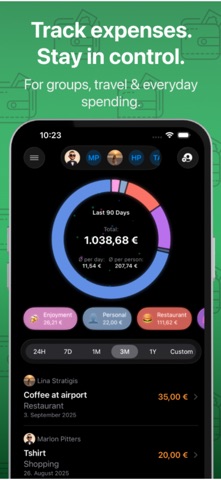
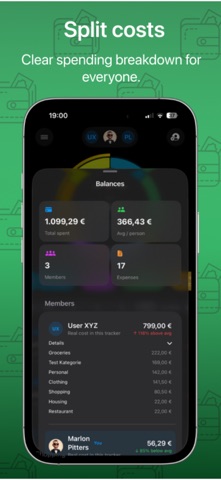
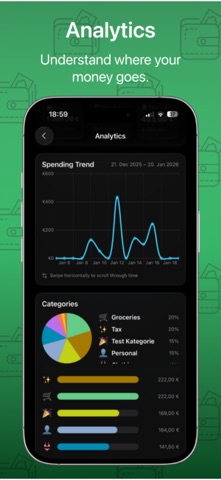
Costify - Track & Split Expenses Easily Costify is a modern expense tracker designed for individuals and groups who want full control over their spending — without complexity. Whether you’re traveling with friends, managing shared expenses in a group, or tracking personal budgets, Costify helps you stay organized, transparent, and stress-free. What you can do with Costify: - Create multiple trackers for trips, projects, or everyday expenses - Create virtual accounts to mirror your bank accounts, cash wallets, or savings funds - Track expenses with categories, notes, dates, and attachments - Share trackers with friends and see who spent what in real time - Split costs automatically and keep balances clear within groups - Attach receipts, photos, and files to your expenses - Export trackers as CSV or PDF for easy sharing or documentation - Analyze your spending with clean overviews and smart analytics - Create and manage installment plans with flexible payments, extra payments, and full payoff anytime - View a clear budget overview for the current month and see how much you’ve already spent - Convert currencies instantly with the built-in currency converter - Automatically add expenses after Apple Pay payments using Shortcuts automations - Open the expense flow instantly with Shortcuts and tap gestures for faster tracking - Personalize your profile and collaborate seamlessly with others Costify is built with a focus on clarity, collaboration, and privacy — no ads, no clutter, just the features you actually need. Take control of your expenses. Together or on your own. Terms of Use (EULA): https://www.apple.com/legal/internet-services/itunes/dev/stdeula/ Privacy Policy: https://costify.app/privacy-policy/
Screenshots